5 Operating Servo model
45
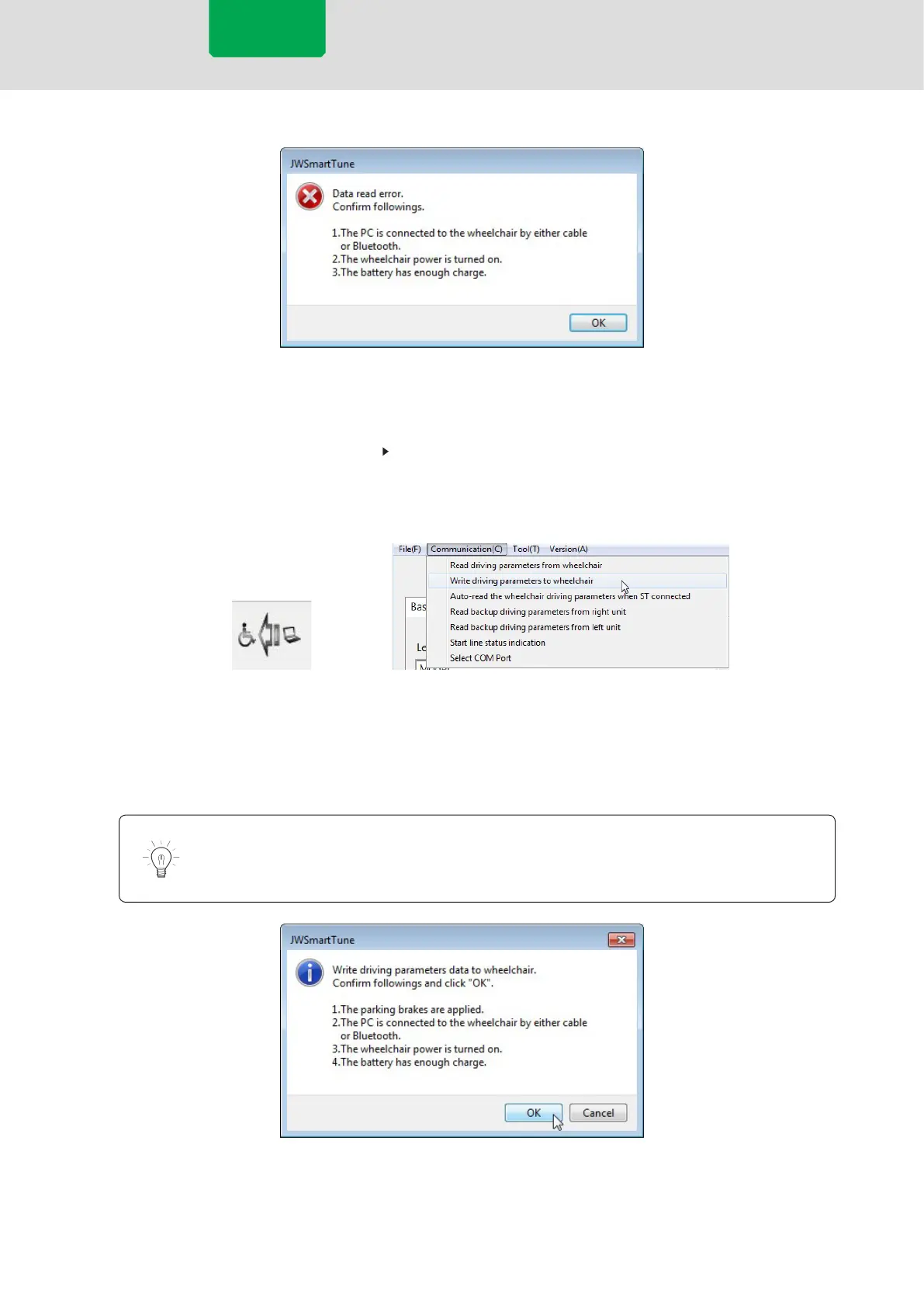
Error example: Communication failure
3
Either change the settings or parameter values displayed on the screen or recall the
setting data saved in your PC.
P.48 “5.4.2 Recalling Setting Data”
4
Write the setting data displayed on the screen to the wheelchair using the icon or
the menu bar.
[Communication] Menu
[Write] Icon
5
Verify the state of the wheelchair following the instructions in the conrmation
message, then press [OK]. If an error message appears, check the contents of the
message and perform the operation once again.
Simply changing the parameters on the screen does not change the settings of the
wheelchair. Changes are applied when writing is complete.
Write Conrmation Message
Servo model



 To Next Page