13
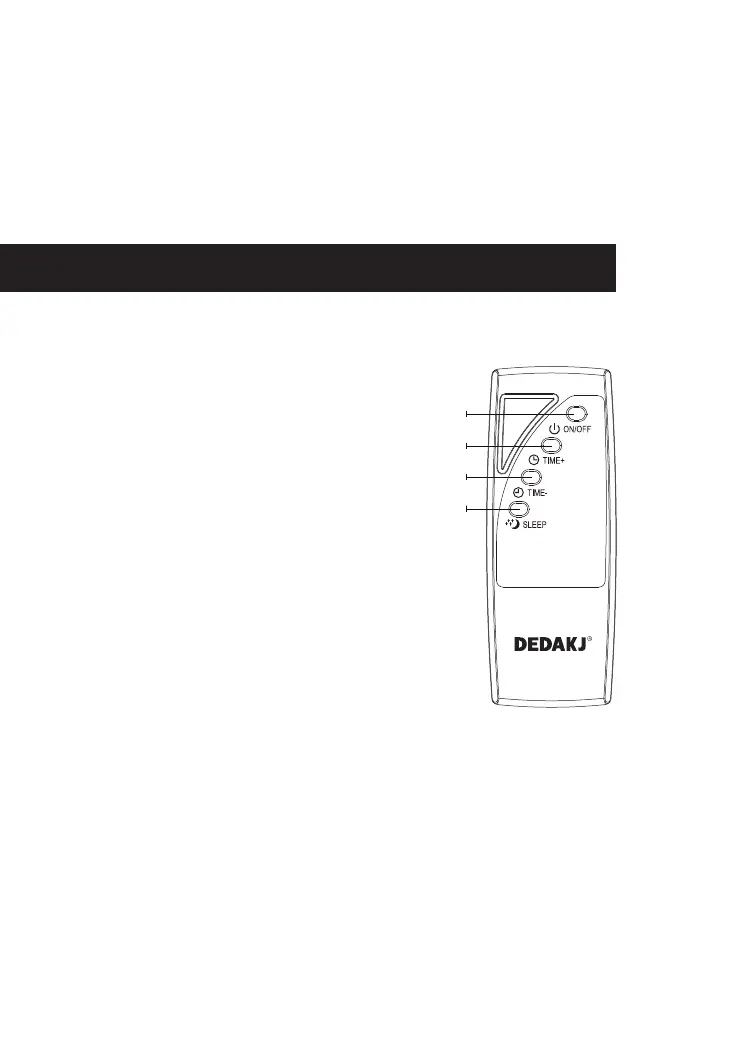
Instructions for Use of Remote Control
Warm tip: when operating the function key, if "000" is displayed, it
indicates no timing, and there will be different operations:
1、In the highlighted state, gently touch the function key to directly reflect
the operation result.
2、In power saving mode, gently touch the function key once to activate
Description of DE-1A/DE-1B/DE-1BW Remote Control Keys
1、On/Off key
2、Timing key
3、Timing- key
4、Sleep mode key
the highlight mode, and gently touch it again to stop the operation.
Every time you touch any key, the buzzer will sound. It will enter the
power saving mode 1min later in case of no operation.
1
2
3
4


 To Next Page