Dedicated Micros ©2006
11
Eco
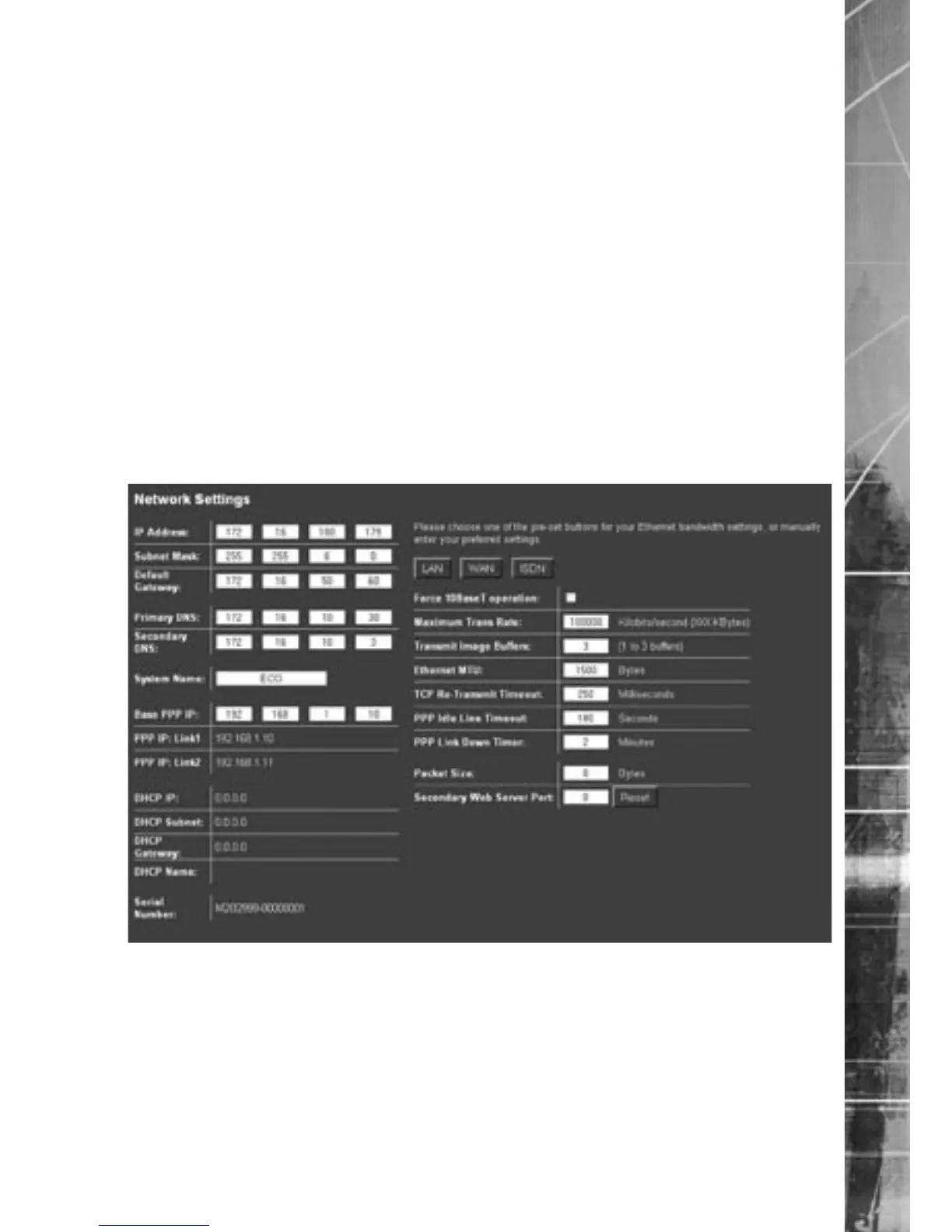
Configuring the Network Settings of the unit
The Quick Start Guide gives details of how an IP address can be allocated to the network port on the
unit to allow you to communicate via a LAN or WAN from a web interface.
This section details these additional configuration parameters.
To configure the network information
1. Select Network -> Network Settings
2. The IP address, subnet mask and default gateway will be displayed on this page.
3. The unit supports Domain Name Server (DNS) allowing the unit to reference other hosts
by their name rather than their IP address, enter the IP address of the primary DNS and
secondary DNS server
4. The default system name for the unit can be changed to something appropriate by editing
this section
5. The unit has an auto-detecting 10/100BaseT network connection. Place a tick in the ‘Force
10BaseT operation’ if the unit is to be connected to a 10Mbps edge switch or hub
6. Remember to save the configuration by selecting Save Settings!
Function Description
IP Address, Subnet Mask, etc These are the settings that have already been configured via
the Serial port or OSD menus. This is the static IP address and
subnet mask, and if applicable default gateway.
Primary DNS This is the primary DNS server IP address for applications that are
utilising domain names.
Secondary DNS This is the IP address of the secondary DNS server in case of
failure of the primary server.
System Name This is the name that is allocated to the unit.



 To Next Page