Need Help? Visit defendercameras.com/support
10
Setting Up Continuous Recording
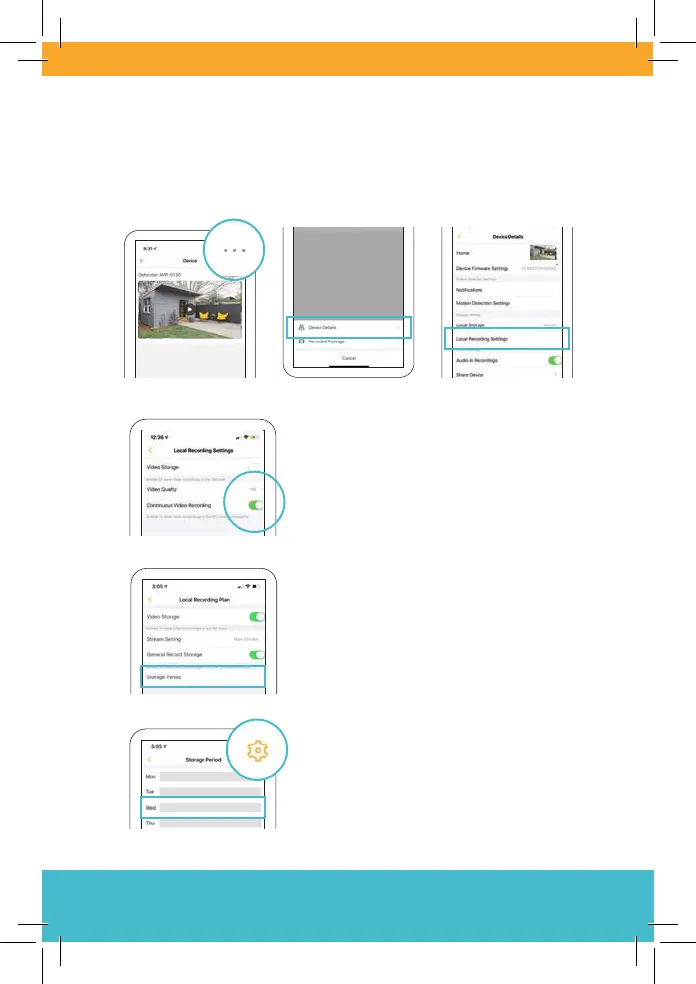
To access continuous recording settings, open Device Details (on
the home screen, tap • • •) and then Local Recording Settings.
Activate Continuous Video Recording
for non-stop recording.
Note: Once your SD card is full, older
footage will be overwritten.
Set a schedule for continuous recording
by tapping Storage Period.
Tap the gear icon or any day of the
week to add recording periods.



 To Next Page