EasyManua.ls Logo

Defiant DFI-7004-WH-G - User Manual

Defiant DFI-7004-WH-G
2 pages
Print Icon
To Next Page IconTo Next Page
Loading...
HOMEDEPOT.com Please contact 1-866-308-3976 for further assistance.
Quick Start Guide
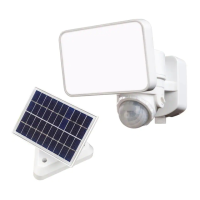
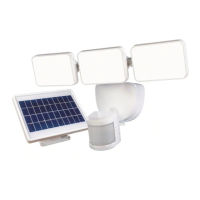
MOTION SOLAR SECURITY LIGHT
The solar panel requires full, direct sunlight to charge the battery. Clouds, rain, snow, and other weather conditions may not allow
the solar panel to completely recharge the battery. Other obstructions such as buildings or trees may block the sun as well.
When installing the solar panel, make sure it is aimed toward the sun with a minimum amount of obstructions. If possible,
mount the panel facing toward the southern sky.
Refer to the included full instruction manual Use and Care Guide” for installation, safety, and additional information.
Operation
1
Adjusting the lamp heads
The lamp heads may be adjusted left or right and up and
down.
THIS SIDE UP
2
Connecting the solar panel to the light fixture
Adjust solar panel toward the sun for maximum sun
exposure.
Plug solar panel connector into light xture connector.
THIS SIDE UP
3
Determining the motion sensor detection zone
NOTE: When the motion sensor switch is set to the “TEST”
position, the light will operate during the day or night. The light
will stay on for 5 seconds after all motion is stopped.
Slide the switch to the “TEST” position.
Slide the “SENS” switch to the “L (low) position.
Perform a “walk test”: walk in an arc across the front
of the motion sensor.
Watch the light. The light will come on and the red
LED will ash indicating motion has been detected.
Stop, wait for the light to turn off, and then begin
walking again.
Continue this process until the detection zone has
been established.
If needed, gently grasp the motion sensor and move
it from side to side or up and down to adjust the
detection zone.
SENS
5S 1MIN
OFF TEST AUTO
L M H
4
Adjusting the sensitivity
“L – Low range
“M” – Medium range
“H” – High range
SENS
5S 1MIN
OFF TEST AUTO
L M H
SENS
5S 1MIN
OFF TEST AUTO
L M H
5
Adjusting the light timer
OFF – turns light off.
TEST – light operates day or night for 5 seconds after
all motion has stopped. Used for setup.
AUTO – motion activated. Light can be set to stay on
between 5 seconds and 1 minute after all motion has
stopped.
SENS
5S 1MIN
OFF TEST AUTO
L M H
SENS
5S 1MIN
OFF TEST AUTO
L M H
SENS
5S 1MIN
OFF TEST AUTO
L M H
Item # 1005414989
Model # DFI-7004-WH-G

Other manuals for Defiant DFI-7004-WH-G

Questions and Answers

  • R
    Ryan TurnerAug 15, 2025
    What to do if my Defiant DFI-7004-WH-G Flood Light comes on during the day?
    • T
      Taylor MendozaAug 15, 2025
      If your Defiant Flood Light is activating during the day, it could be due to a couple of reasons. The light fixture might be installed in a dark location; try relocating it to an area with more light. Alternatively, the motion sensor control switch may be set to the TEST position. If so, slide the control switch to the OFF or AUTO position.
  • M
    Melanie TaylorAug 25, 2025
    Why does my Defiant DFI-7004-WH-G Flood Light come on for no apparent reason?
    • T
      Tanner KennedyAug 26, 2025
      If your Defiant Flood Light activates for no apparent reason, the motion sensor may be detecting small animals or automobile traffic. Try decreasing the “SENS” setting or repositioning the motion sensor.
  • A
    Ann SotoNov 4, 2025
    Why my Defiant DFI-7004-WH-G will not come on?
    • T
      Timothy MorrisonNov 4, 2025
      If your Defiant Flood Light isn't turning on, there are several potential reasons. First, ensure the motion sensor control switch isn't set to the OFF position; if it is, slide it to the AUTO position. If that's not the issue, the rechargeable battery might be dead. In this case, switch the control to OFF and allow the battery to charge in full sunlight for 3 to 7 days before testing. Also, check that the solar panel is correctly positioned to receive direct sunlight throughout the day. It's also possible that the daylight turn-off feature (photocell) is active, so recheck after dark. Ensure that the motion sensor is aimed correctly to cover the intended area. Lastly, the surrounding air temperature might be outside the operational range (greater than 122° F (50° C) or less than -4° F (-20...

Summary

Operation

Adjusting the lamp heads

Adjust lamp heads left or right and up or down for optimal positioning.

Connecting the solar panel to the light fixture

Connect the solar panel connector into the light fixture connector for power.

Determining the motion sensor detection zone

Perform a 'walk test' to set the motion sensor's detection zone and range.

Adjusting the sensitivity

Set the motion sensor sensitivity to low ('L'), medium ('M'), or high ('H').

Adjusting the light timer

Set the light timer to stay on for 5 seconds to 1 minute after motion stops.

Initial Battery Charge

Initial Charge Requirements

Battery needs 2-5 days of full sun with switch OFF; aim panel south, tilt 50°.

Maximize RUN TIME Performance

Set switch to AUTO, SENS to 'M', and time dial halfway between 5S and 1MIN.

Troubleshooting

Defiant DFI-7004-WH-G Specifications

General IconGeneral
BrandDefiant
ModelDFI-7004-WH-G
CategoryFlood Light
LanguageEnglish

Related product manuals