EasyManua.ls Logo

Defiant DFI-8852-BZ-G - User Manual

Defiant DFI-8852-BZ-G
6 pages
Print Icon
To Next Page IconTo Next Page
Loading...
HOMEDEPOT.com Please contact 1-866-308-3976 for further assistance.
Refer to the included full instruction manual “Use and Care Guide” for installation, safety, and additional information.
Installation
1
Removing the mounting base
NOTE: This xture comes with a mounting base. It is
pre-assembled on the light xture for shipping.
Press the tab (1) on the top of the xture toward the
lamp heads (A).
Slide the light xture (B) up and out of the mounting
base (D).
UP/H
aut/Arriba
Hi
Med
Eco
Default
20S
1Min
Wired: 5min
Solar: OFF
Battery: OFF
Test
Brightness
On Time
Lo
Hi
Med
Eco
Default
20S
1Min
Test
Brightness
On Time
Lo
Wired: 5min
Solar: OFF
Battery: OFF
2
Installing the mounting bracket
WARNING: Turn the power off at the circuit breaker or
fuse. Place tape over the circuit breaker switch and verify
power is off at the light xture.
Remove the existing light xture.
Connect the ground wire on the mounting
bracket(EE) to the house ground wire using a wire
connector (AA).
Install the mounting bracket (EE) with the stamped
word “FRONT” facing away from the junction box.
Use the mounting bracket screws(BB or CC) that
best t the junction box. If necessary, use the
screws that were removed from the existing light
xture.
Firmly pull on the mounting bracket (EE) to verify it
is securely mounted to the junction box.
FRON T
FRONT
3
Wiring the mounting base
WARNING: Turn the power off at the circuit breaker or
fuse. Place tape over the circuit breaker switch and verify
power is off at the light xture.
NOTE: If necessary, strip 3/8 in. of insulation from
junction box wires.
Hold down the “paddle” on the top of the pre-
installed quick connect (2) located on the back of
the mounting base (D).
Insert the junction box wires (3) into the quick
connect (2). Ensure the white (N – Neutral) wire is
across from the pre-installed white wire and the
black (L – Line) wire is across from the pre-installed
black wire.
Release the “paddle” and gently tug on the wires (2)
to ensure that they are securely connected.
3/8"
FRONT
UP/Haut/Arriba
Quick Start Guide
MOTION SECURITY LIGHT
D
2
3
1
D
B
BB or CC
EE
A
AA
Item # 1007129399
1007129810
Model # DFI-8852-BZ-G
DFI-8852-WH-G
Question and Answer IconNeed help?

Do you have a question about the Defiant DFI-8852-BZ-G and is the answer not in the manual?

Overview

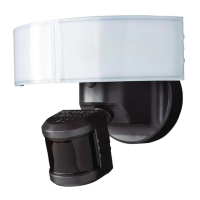
This document describes the Defiant Motion Security Light, a device designed to provide illumination and security through motion detection.

Function Description

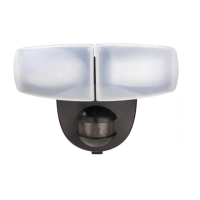
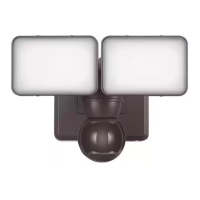
The Defiant Motion Security Light is an outdoor lighting fixture equipped with a motion sensor. Its primary function is to automatically illuminate an area when motion is detected, enhancing security and visibility. The light heads are adjustable, allowing users to direct the light to specific areas. The motion sensor can be configured for various settings, including brightness, on-time duration, and detection range, to suit different environmental conditions and user preferences. It operates by detecting movement within its field of view and activating the lights for a set period.

Important Technical Specifications

While specific numerical technical specifications like wattage, lumen output, or detection angles are not explicitly detailed in the provided excerpts, several operational parameters are mentioned:

  • On-Time Settings: The device offers adjustable on-time settings for the light, including "20S" (20 seconds), "1Min" (1 minute), and "5Min" (5 minutes). There's also a "TEST" mode for setup.
  • Brightness Settings: The light has adjustable brightness settings, including "Hi (High)", "Med (Medium)", "Lo (Low)", and "Eco". A "Default" setting is also available.
  • Motion Sensor Range: The motion sensor has adjustable detection zones, referred to as "NEAR" and "FAR", allowing users to customize the detection area.
  • Power Source: The device is hardwired, connecting to household wiring (120V, 60Hz, 0.9A).
  • Operating Temperature: Not explicitly stated, but the troubleshooting section mentions issues related to cold weather, implying a recommended operating temperature range.
  • Light Fixture Type: The manual refers to it as a "motion security light" and "lamp heads," indicating it likely uses incandescent or LED bulbs, though the type is not specified. The troubleshooting section mentions "fluorescent bulbs" as a possible cause for continuous light, suggesting it might be designed for other bulb types.

Usage Features

The Defiant Motion Security Light offers several user-friendly features for installation, adjustment, and operation:

Installation

The installation process involves several steps:

  1. Mounting the Mounting Base: This involves attaching the mounting base (D) to a junction box using screws. A foam gasket is used to ensure a watertight seal.
  2. Installing the Mounting Bracket: The mounting bracket (EE) is secured to the mounting base.
  3. Wiring the Mounting Base: This is a critical step involving connecting the house ground wire to the green ground screw on the mounting bracket (EE), and then connecting the white (neutral) and black (line) wires from the house to the corresponding wires on the pre-installed wiring harness of the mounting bracket using wire nuts.
  4. Installing the Mounting Bolt: The mounting bolt (DD) is threaded into the center hole of the mounting bracket (EE) to secure the light fixture.
  5. Attaching the Light Fixture: The light fixture (B) is slid onto the mounting base (D) and secured with the mounting bolt (DD).
  6. Caulking: For outdoor installations, especially on an eave mount, caulking around the mounting base is recommended to prevent water seepage.

Adjustments

  • Adjusting the Lamp Heads: The lamp heads (A) are adjustable, allowing users to direct the light coverage area. It's important to keep the lamp heads at least 2 inches (51 mm) from combustible materials and to avoid pointing them 30° below horizontal to prevent water damage and electrical shock.
  • Setting the Sensor for Testing: The "ON-TIME" switch can be set to "TEST" mode for setup. In this mode, the light will stay on for 8 seconds after motion is detected, regardless of ambient light.
  • Adjusting the ON-TIME Switch: The "ON-TIME" switch allows users to select the duration the light stays on after motion detection (20S, 1Min, 5Min).
  • Adjusting the Brightness Switch: The "Brightness" switch allows users to select the desired lumen output (Hi, Med, Lo, Eco, Default).
  • Adjusting the Motion Sensor Detection Zone: The motion sensor has adjustable detection zones ("NEAR" and "FAR") to customize the area where motion is detected. Users can perform a "walk test" to fine-tune the detection zone. The sensor can be adjusted to point up or down, or side to side, to adjust the coverage area.

Operation

  • Automatic Operation: Once installed and configured, the light operates automatically, turning on when motion is detected and off after the set on-time duration.
  • Day/Night Operation: The light fixture will operate during the day or night when the "ON-TIME" switch is set to "TEST." For normal operation, the light will only turn on at night.

Maintenance Features

The manual provides troubleshooting information that can be considered maintenance-related, guiding users to diagnose and resolve common issues:

Troubleshooting

  • Light will not come on:
    • Cause: Light fixture not properly attached to the mounting base, daylight turn-off (photocell) is in effect, or motion sensor is aimed in the wrong direction.
    • Solution: Re-install the light fixture, recheck after dark, re-aim the motion sensor.
  • Light comes on during the day:
    • Cause: Motion sensor may be installed in a relatively dark location.
    • Solution: The light fixture is operating normally under these circumstances.
  • Light comes on for no apparent reason:
    • Cause: The light fixture is wired through a dimmer or timer.
    • Solution: Do not use a dimmer or timer to control the light fixture. Replace the dimmer or timer with a standard on/off wall switch.
  • Lights stay on continuously:
    • Cause: Motion sensor may be picking up a heat source, such as an air vent, dryer vent, or brightly painted, heat-reflective surface. The motion sensor is in manual mode. The light fixture is wired through a dimmer or timer. The light fixture is on the same circuit as a motor, transformer, or fluorescent bulb.
    • Solution: Reposition the motion sensor, switch the motion sensor to auto, do not use a dimmer or timer, install the light fixture on a circuit without motors, transformers, or fluorescent bulbs.

The manual also emphasizes the importance of proper installation, including sealing the mounting base with caulk, to prevent water damage, which is a key aspect of long-term maintenance and device longevity. Regular cleaning of the sensor lens is not explicitly mentioned but is generally good practice for motion sensors to ensure optimal performance.

Defiant DFI-8852-BZ-G Specifications

General IconGeneral
BrandDefiant
ModelDFI-8852-BZ-G
CategoryFlood Light
LanguageEnglish

Related product manuals