PAGE 9 OF 20
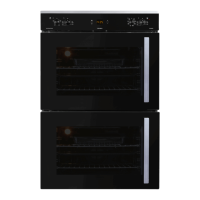
Static oven operation (Top Oven)
Note:
• The oven thermostat is marked down to
70°C. When set to this position, the
oven may be used as a warmer.
• All ovens extract moisture from the
food being cooked, especially so
during the winter months. This is
normal and not detrimental to the food
or the oven.
Baking Guide:
• Where possible, bake on the middle
shelf position of the oven.
• Place the food halfway between the
back of the oven and the door.
• Do not open the oven door until at least
two thirds of the baking time has
lapsed.
• The roast pan must not be
used for baking purposes
Note:
The top oven is a baking oven only
and does not feature a grill.
The selector switch allows the selection
of the following oven functions.
OVEN LAMP
TOP HEAT ELEMENT ONLY
CONVENTIONAL BAKING (STATIC BAKE)
BOTTOM ELEMENT ONLY
NOTE: While the oven is operating,
a fascia cooling fan will run,
thereby protecting the electronics
from excessive heat exposure.
Baking
• The top oven is supplied with one
chromed oven shelf .
• Set the selector knob to the desired
baking mode. Top and Bottom elements
or Bottom element only or Top element
only.
• Set the oven thermostat to the required
temperature.
• The thermostat indicator light will glow
and remain on until the oven has
reached the selected temperature. The
light will then switch off.
• Thereafter place the food in the oven.
• During the baking cycle, the indicator
light will switch on and off as the
thermostat maintains the selected
temperature.
• After baking is completed, the
thermostat and the selector knob
must be turned to the "0"position in
an anticlockwise direction.



 To Next Page