FEATURES
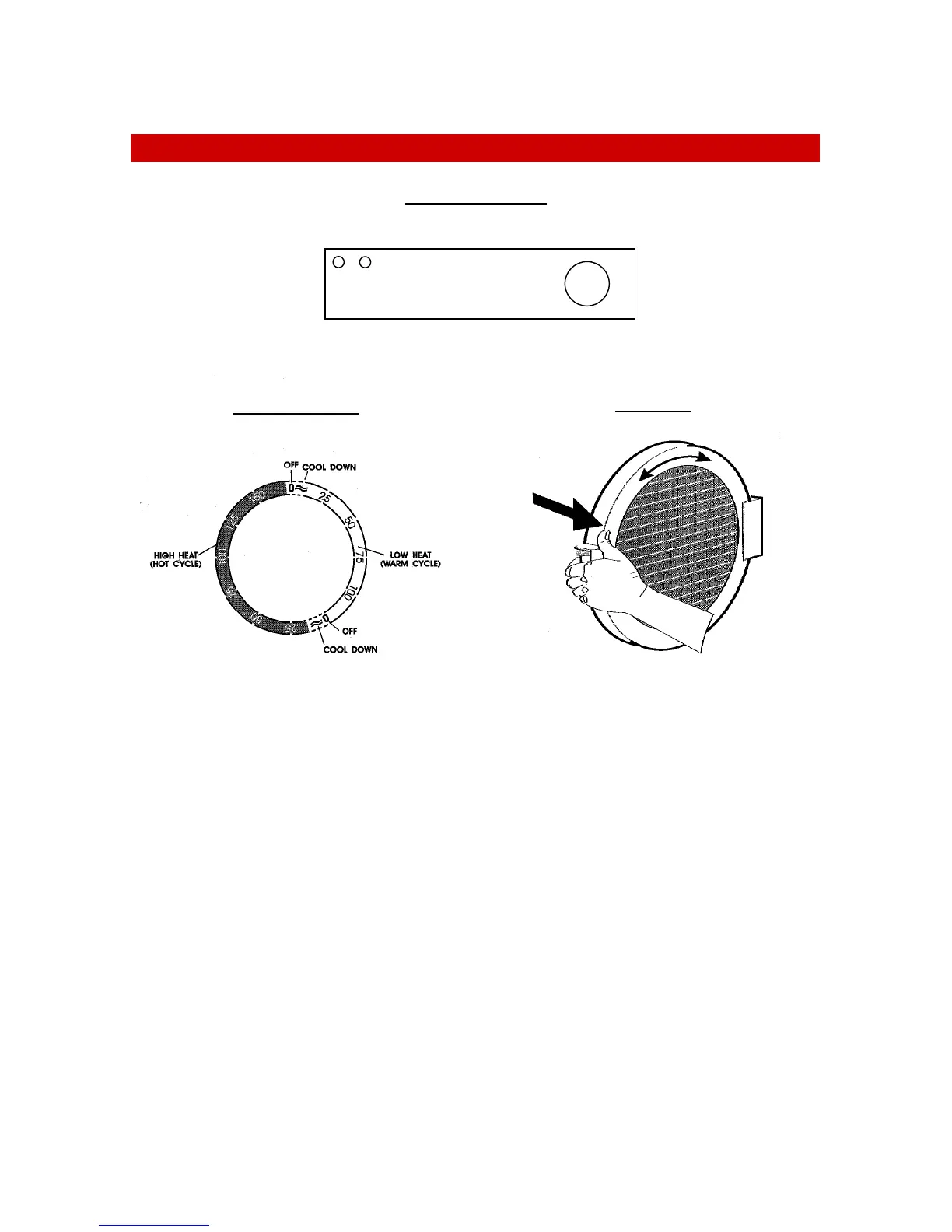
The control panel
Timer knob
• Turn the knob in a clockwise direction only. If the required setting is accidentally
bypassed, do not turn the knob back but continue turning clockwise to the desired
setting.
The timer knob allows the selection of High (HOT) or Low (WARM) heat and the
duration of the drying cycle in minutes. There is an automatic 12 minute cooling down
period at the end of each drying cycle.
The Door
• To open the door, pull on the handle.
• The grill in the door can be rotated if condensation occurs on the floor in front of the
machine.
• Opening the door, during the drying cycle, will stop the machine. Closing the door will
allow the machine to complete the drying cycle.
Indicator lights
• When illuminated, these indicate the heat level selected.
The Timer Knob
The Door
Timer knob
Indicators lights



 To Next Page