Page 17
(This function depends on the model and must be read selectively on the basis of configuration
and model). The steam function time may vary with the type of foods being cooked. You can
choose the length of pressure-holding time at your discretion.
x If using the steam function fails to meet your food texture requirement, you can utilize the
cooking/braised time function in order to achieve the optimal cooking effect.
x Less time is consumed for a food easily to be cooked and more time is consumed for a food
more difficult to be cooked. Example: you need about 3 min to cook fish, but about 20min to
cook beans and tendons.
1. Finish cooking preparation according to page 10
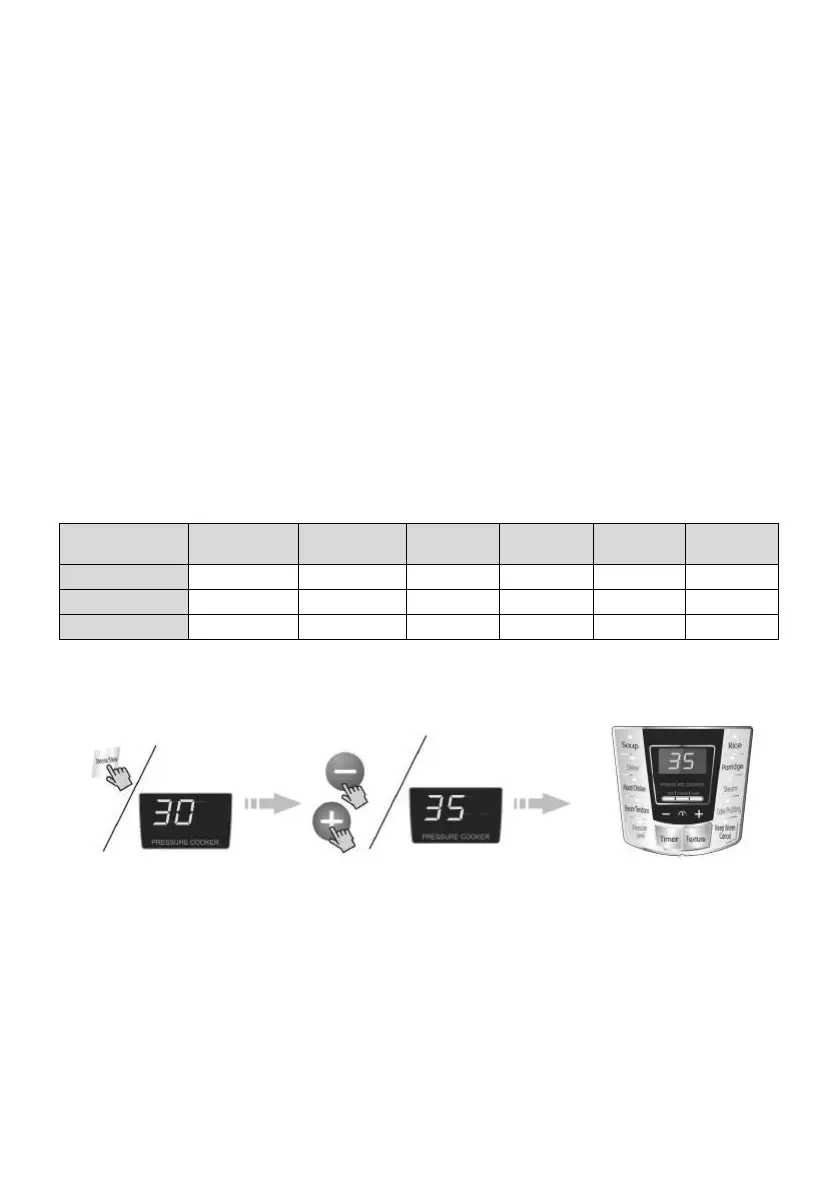
2. By pressing the “Steam” key, select the cooking time.
x After the “Steam” key is pressed, the “Steam” indicator illuminates. The cooking time will be
according to the previously set time (for first time, use default 30 min) by pressing “+” and “-”
adjust the cooking time between 0 and 60 min.
x The pressure holding time can be selected according to personal taste, food and cooking
experience.
x When cooking or braising food, water added must not be less than 2 cups, the table below
shows approximate time required for food cooking after adding 2 cups of water. (times in
this table are for reference only). You can select the pressure holding time according to
personal tastes, and cooking experience. The set time means pressure holding time, i.e. the
time shown on the screen during time setting: Total time means the time from work start to
uncovering.
Steam Function
x 10s after selection, a sound prompt emits and the screen displays the pressure holding time.
The pressure cooker performs the cooking and braised function. (to cancel the operation,
press the “keep warm/cancel” key).
x If you require delayed start cooking see “pressure level” on page 13.
Function
Dim sum/
Steamed bun
Egg/Fish Corn Meat
Small
tendons
Large
tendons
Water added (cup) 2 2 2 2 2 2
Set time (min) 0 3 5 15 10 20
Total time (min) 20 30 30 40 40 45
By pressing “Pressure level”
key, select the Pressure
Level function.
By pressing “+”or “-”key
select the pressure holding
time.
After 10s the unit enters the
working mode, and the Pressure
level indicator illuminates.
3. After cooking, you can open the cover to enjoy the food.
After a sound prompt emits, the “steam” indicator shows and the warm indicator illuminates.
The unit enters warming mode; The cover can now be opened and the food dished.


 To Next Page
 Loading...