10
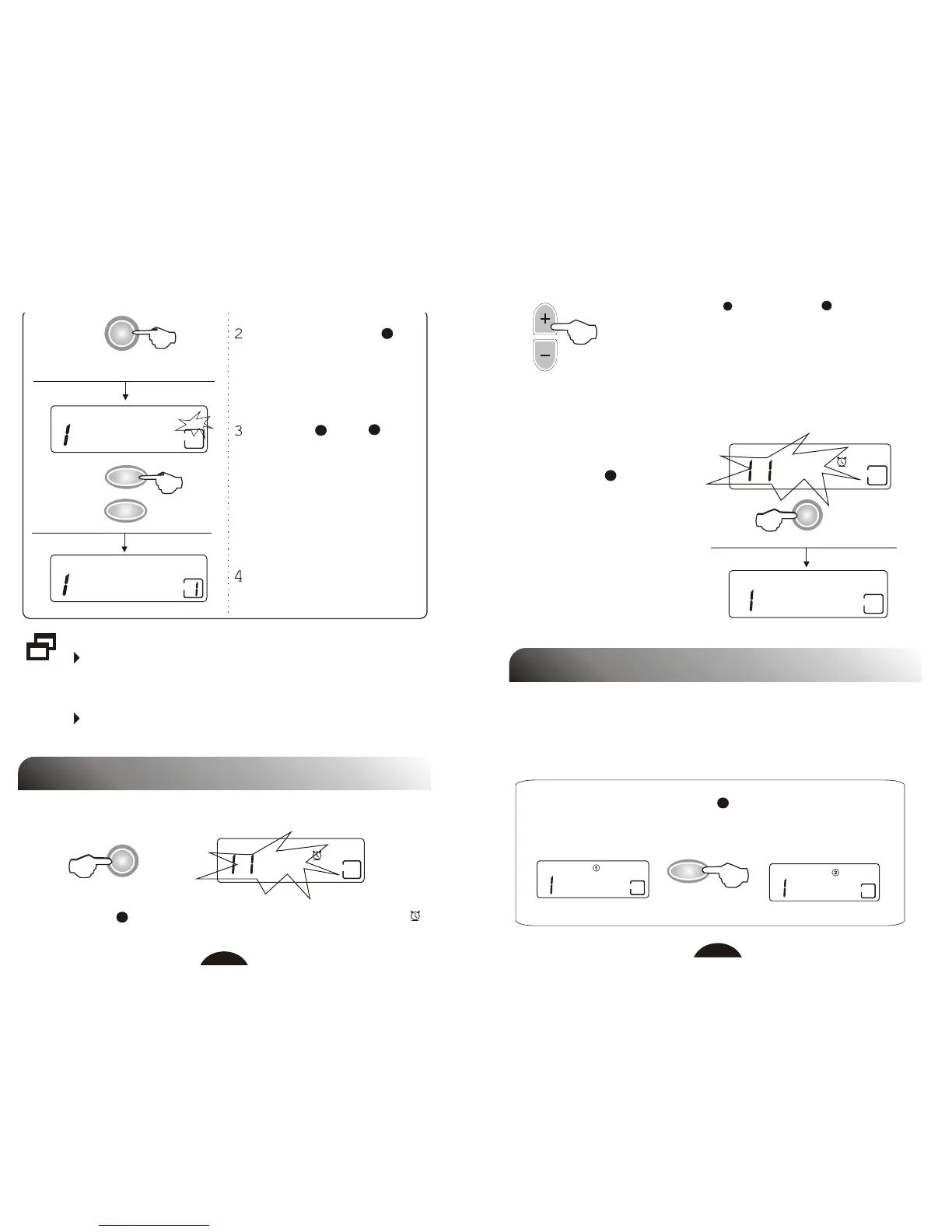
Press store button M ,
"MEMO" flashes in the
display.
Press M+ or M- to
memorize the station. The
corresponding number will
indicate in the display.
If you can not complete step 3 and step 4 while the
indicator flashes, presetting is failed. You have to
repeat from step 1.
If a station is already stored, the new station with the
same preset number replaces the old one.
Press M button again.
MHz
CH
04.7
FM
MHz
MEMO
04.7
FM
7
5
6
SET TIME
M
M+
M-
ALARM OPERATION
1.Set Alarm Time
Press ALARM into alarm setting mode, ALARM INDICATOR
will flash for about 3 seconds.
30
:
ALARM
9
30
:
006
:
9
2
ALARM
11
2.Turn Off Alarm Function
Press HOUR(+) or MINUTE(-) to adjust the
alarm time when ALARM INDICATOR flashes.
Release all buttons, the unit enter alarm mode
after 3 seconds.
Press ALARM , alarm time
flashes for 3 seconds.
Press ALARM again, alarm
function is cancelled.
3
CLOCK OPERATION
You can present clock1 and clock2 in 24 hour format respectively.
1. Select Clock
Turn off the unit, press CLOCK circularly to select clock1
or clock2.
006
:
BAND
006
:
4



 To Next Page