Dejavoo Systems Instruction Manual V525.15 83
BATCH SETTINGS (FOR ALL APPLICATIONS), CONTINUED
4.
IF
TOUCH
TOUCH
SCREEN
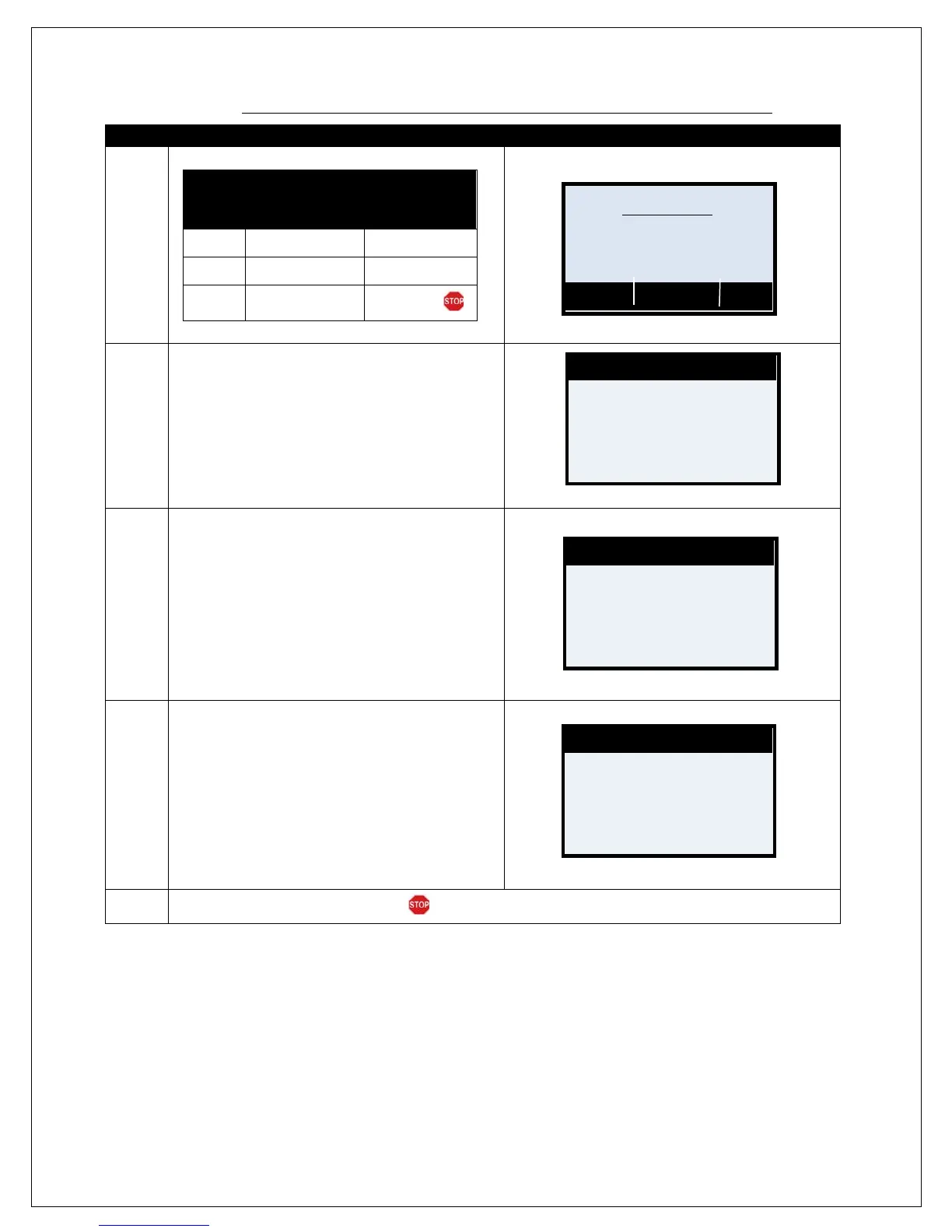
Dial Press the F2 Key Tap Dial
No Dial
Press the F3 Key Tap No Dial
Off
Press F4 Key
Tap Off
5.
Use the keypad to input the desired time to have
the terminal dial out automatically and settle open
transactions.
Note: Time format is HH:MM and is in 24 hour
clock (military format.)
Ie; 4:00pm would be input as 16:00 while 4:00am is
04:00.
6.
Use the keypad to input how many minutes before
the terminal should continue to retry to close the
batch should the first attempt be unsuccessful.
Press OK to confirm.
Note: The example to the right shows that the terminal
will dial out every ten minutes to retry the settlement.
7.
Use the keypad to input the time period the
terminal should continue to try to close the batch.
Press OK to confirm.
Ie: The terminal will continue to retry the settlement
every 10 minutes for up to 55 Minutes according to the
example on the right.
8.
Terminal Returns to the Core Menu.
CR/DB Automatic?
Time [HHMM]
01:00
Interval [HHMM]
00:10
Period [HHMM]
00:55



 To Next Page