Dejavoo Systems Instruction Manual V525.15 84
REPORTS (FOR ALL APPLICATIONS)
Dejavoo provides features and options for efficient management of multiple applications. The
Global Report options provide cumulative reporting of all active terminal applications.
Global Daily Report Global Summary Report
For Example: ABC Merchant is subscribed to Credit and Debit, Gift Card and Check
applications. He/she wants to print a report that will show transaction totals
for all three applications on the same report. He uses the Summary Report
option in the Core Menu to print totals for all applications. .
* For information on how to print a report for a specific host application only see page 103.
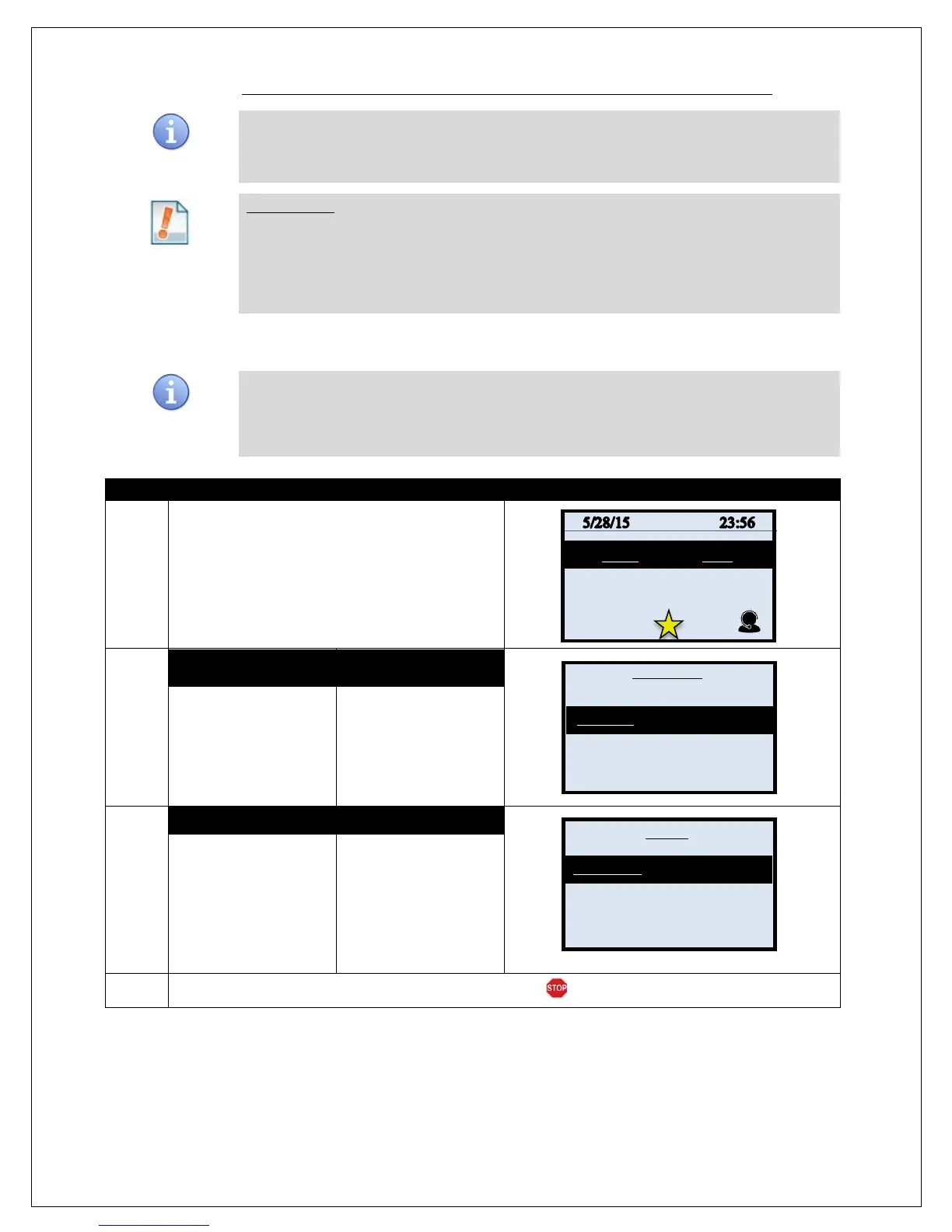
DAILY REPORT (FOR ALL APPLICATIONS)
This Core Menu option provides daily report information for ALL active terminal
applications. The Daily Report prints the transaction #, Card Type, Transaction Type,
Last four digits of the Account Number and dollar amount for each transaction that are
in the current/open batch.
1.
From the idle prompt press the OK key to access
the Core Menu.
2.
NON TOUCH SCREEN TOUCH SCREEN
Use the down arrow to
highlight REPORTS
and Press OK
Using your fingertip
TAP the word
REPORTS
3.
NON TOUCH SCREEN TOUCH SCREEN
Use the down arrow to
highlight DAILY
REPORT and Press
OK
Using your fingertip
TAP the words DAILY
REPORT
4.
Reprort Prints and terminal returns to the Core Menu.
Settlement –
Favorites ->
Favorites ->
Utility ->
Retrieve Password ->



 To Next Page