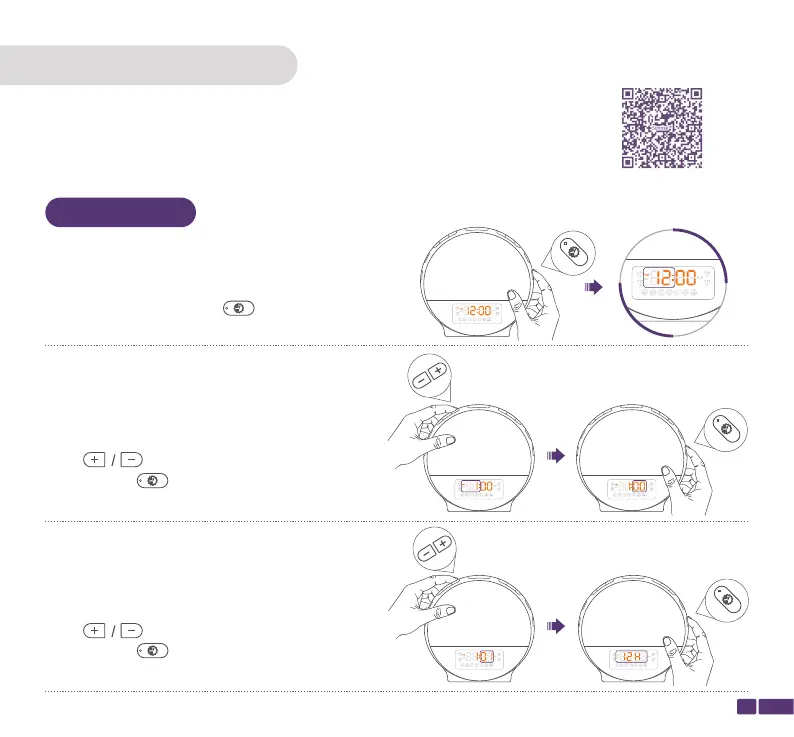
Step 2:
Press to change the Hour, then
press Setting/ to confirm and switch to
adjust "Minute".
OPERATION GUIDE
Note:
The Sunrise Alarm Clock will automatically save the current setting and
exit from setting mode if the operation is not resumed within 15s.
Step 1:
Press and hold the Setting/ button for 2
seconds until the hour starts flashing
Step 3:
Press to change the Minute, then
press Setting/ to confirm and start to set the
Time Format.
05
Setting
Setting
Setting
Watch Instruction Video
Time Setting


 To Next Page