Press Setting/ to toggle the brightness of the LED Display among Day Mode, Night Mode
and OFF.
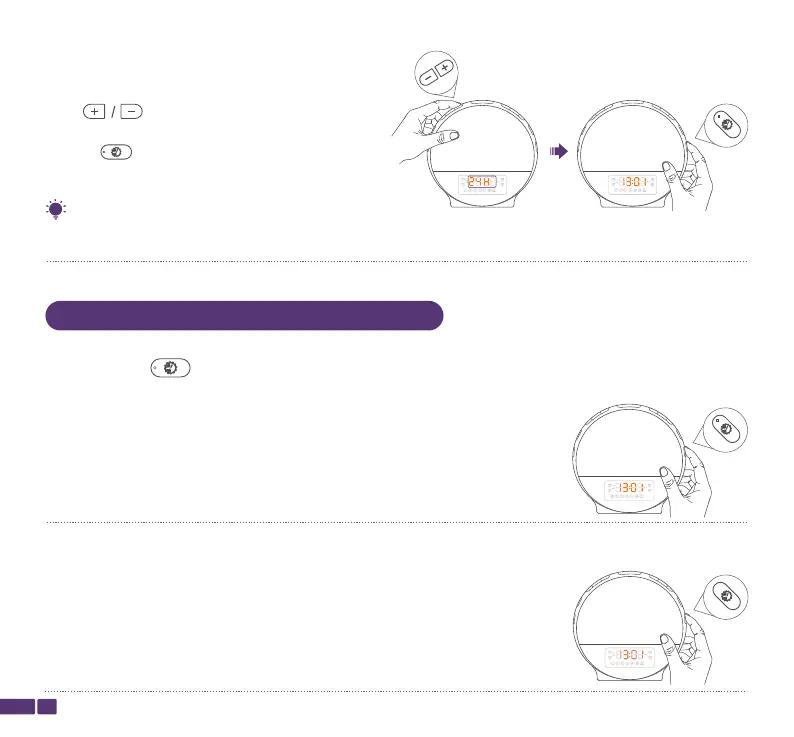
Step 4:
Press to select Time Format 24-hour
clock or 12-hour clock, then press
Setting/ to confirm and complete the setting.
06
lf the 12-hour time format is selected, PM or AM will be displayed accordingly.
Tip:
Day Mode indicates that the brightness level of the LED display will remain
consistently bright, even during nighttime.
Night Mode indicates the brightness level of the LED Display will always be
the lowest.
Setting
Setting
Setting
Adjust the Brightness of Time Display


 To Next Page