1
2
3
4
5
6
7
8
9
0
11
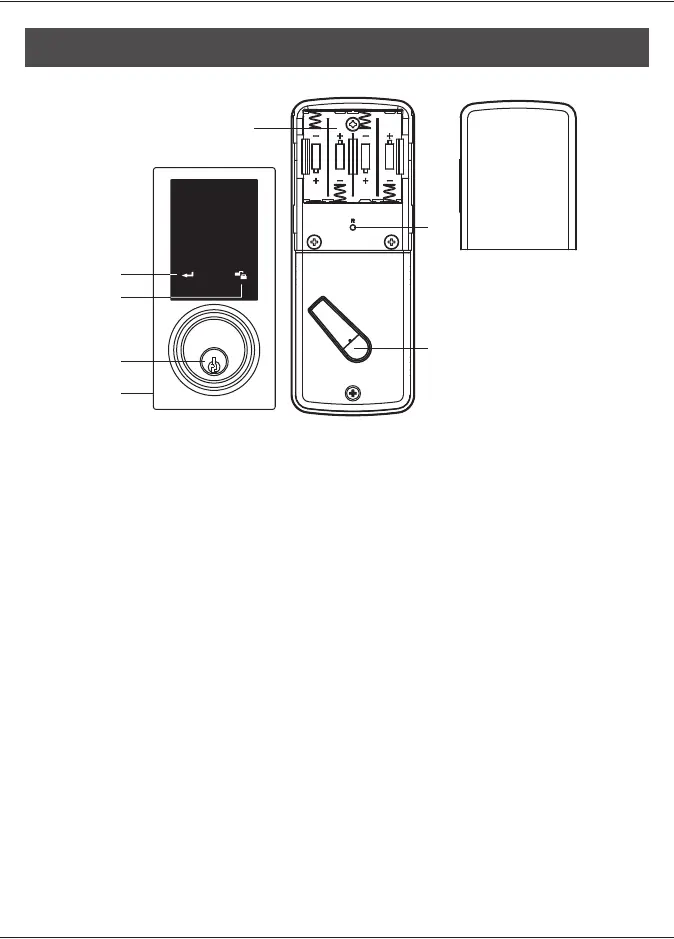
Programming Button
Programming button is for setting function.
.
Cylinder
To lock/unlock the lockset from outside.
Washer
Prevents water from permeating into lockset.
Battery Lid
Slide the lid to change the batteries.
Battery Holder
Four AA (1.5 V) alkaline batteries.
R Button (Reset)
Restore default settings.
Turn-piece
To lock/unlock the lockset from inside.
Lock Btutton
Lock Button is for lock and unlock function
by key
OPERATIONAL INTERFACE



 To Next Page