EasyManua.ls Logo

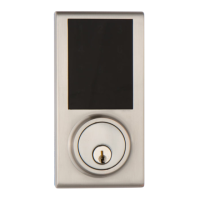
Delaney KP300 - User Manual

Default Icon
20 pages
Print Icon
To Next Page IconTo Next Page
Loading...
1
2
3
4
5
6
7
8
9
0
USER MANUAL
TEMPLATE
45 40 35
1-3/4" 1-9/16" 1-3/8"
Fit here on door edge
FOR BACKSET 70mm (2-3/4”)
FOR BACKSET 60mm (2-3/8”)
Mark Ø1" (25.4mm) hole at
center of door edge.
Ø54mm (2-1/8")
Attention : Please do not use the "electronic" screwdriver for installation.
Product :
Purchase Date :
Limited Warranty Statements
1. Warranty
The manufacturer warrants the Product to be free
from defects in material and workmanship for a period of 12 months
from the original date of purchase.
If you discover a defect in the Product covered by this warranty, we will repair or
replace the item at our option using new or refurbished components.
2. Exclusions
This warranty covers defects in manufacturing discovered while using the
Products as recommended by The manufacturer rather than occurred by the act
of God, and damages caused by misuse, abuse, and unauthorized modification.
3. Limited of Liability
The manufacturer will not be held liable for incidental or consequential losses or
damages to any act of God.
4. Reminder
Service requirement shall subject to the presentation of this warranty card
and defective parts to the manufacturer.
The warranty card will not be reissued if lost.
TOUCHPAD
ELECTRONIC DEADBOLT LOCK

Questions and Answers

Summary

Limited Warranty Statements

Warranty

Manufacturer warrants product against defects for 12 months from purchase.

Package Contents

Latch Backset Adjustment

Assembly Instructions

Operational Interface

Operating Instructions

Operation Indicator Sounds and Lights

Explains meaning of sounds and lights indicating lock status and operations.

Door Handling Identification Process

Lock identifies if door is right- or left-handed; perform this first.

Toggle Auto-Lock On;Off

Turn auto-lock function on or off.

Restore Default Settings

Reset programming to original factory codes using the R button.

Change Programming Code

Procedure to change the default programming code.

Add New User Code

Instructions to add new user codes (up to 30 sets, 4-10 digits).

Delete an Existing User Code

Steps to delete a specific existing user code.

Delete All User Codes at Once

Procedure to delete all user codes simultaneously.

Warranty

Exclusions

Warranty excludes acts of God, misuse, abuse, and unauthorized modification.

Limited Liability

Manufacturer not liable for incidental or consequential losses from acts of God.

Troubleshooting

Adding, Removing & Resetting lock

Resetting lock

Press the R button for 5 seconds to return to original factory settings.

Associations Groups

Delaney KP300 Specifications

General IconGeneral
BrandDelaney
ModelKP300
CategoryDoor locks
LanguageEnglish

Related product manuals