Delem
V1101, 2.10
2.10 Options
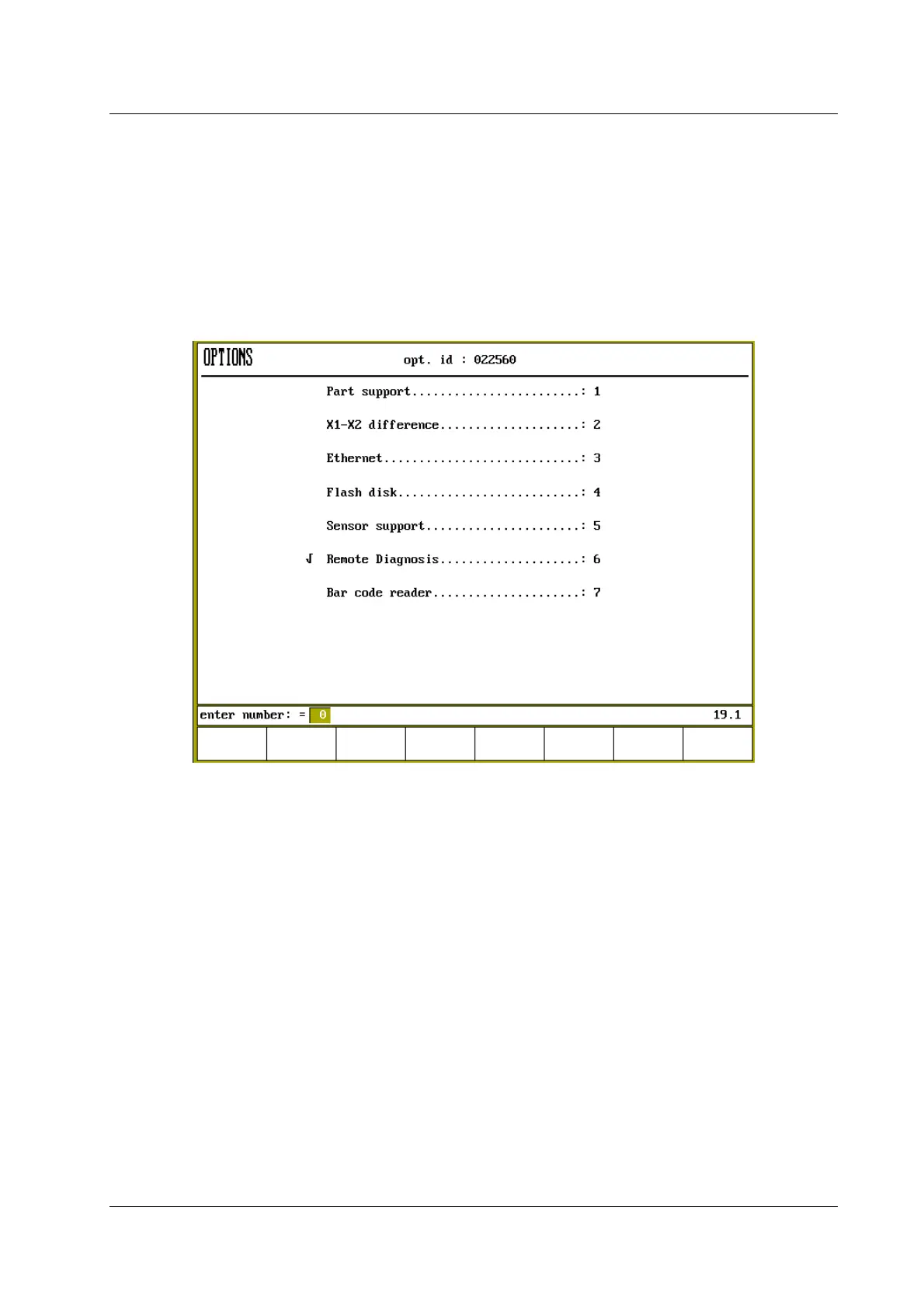
A new option can only be used when the option has been enabled in the control. There are seven
options to be enabled. For each option that has not been enabled (not yet proceeded by √ - sign)
you have to contact Delem for the unique code. The options with the √ - sign are already enabled
in the control and can be used.
Figure 2.10.a
Obtaining the option code
The option code can be obtained by ordering the required option. The ordering information must
always include the option ID-number. The option id-number of your control is indicated in the
header of the option screen. In figure 2.10.a the option id is 022560.
Entering the option code
The option code consist of 16 digits. The 16 digits are divided in 4 groups of 4 digits. The
groups are separated by a slash ‘/’. For each option you require another code.
Example: you have bought the ethernet option. After you have installed this option you have to
enable the ethernet option.
- Enter 3 for enabling the ethernet option.
- Enter the Delem code. An example code is 1234/5678/9012/3456. Do not forget the slashes,
becauce these are necessary. You can enter a slash by pressing the frontpanel key with the ‘.’-
sign.


 To Next Page
 Loading...
