Using Your Projector 13
4
Disconnect the power cord from the electrical outlet and the projector.
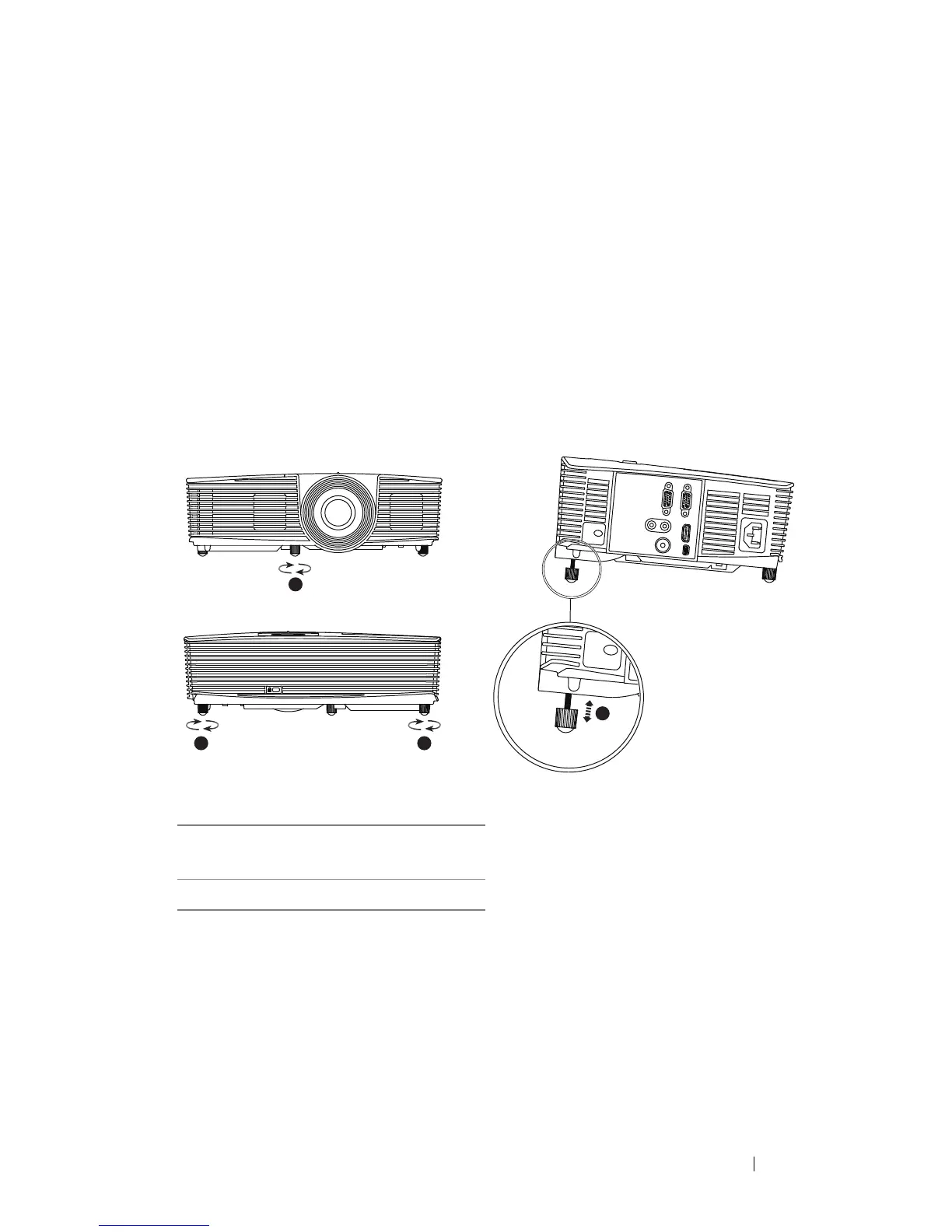
Adjusting the Projected Image
Raising the Projector Height
1
Raise the projector to the desired display angle, and use the front tilt
adjustment wheel to fine-tune the display angle.
2
Use the tilt adjustment wheels to fine-tune the display angle.
Lowering the Projector Height
1
Lower the projector, and use the front tilt adjustment wheel to fine-tune
the display angle.
1 Front tilt adjustment wheel
(Angle of tilt: -5 to 5 degrees)
2 Tilt adjustment wheel
1



 To Next Page