Connecting Your Projector 7
CAUTION: Before you begin any of the procedures in this section,
follow the Safety Instructions as described on page 5.
2
Connecting Your Projector
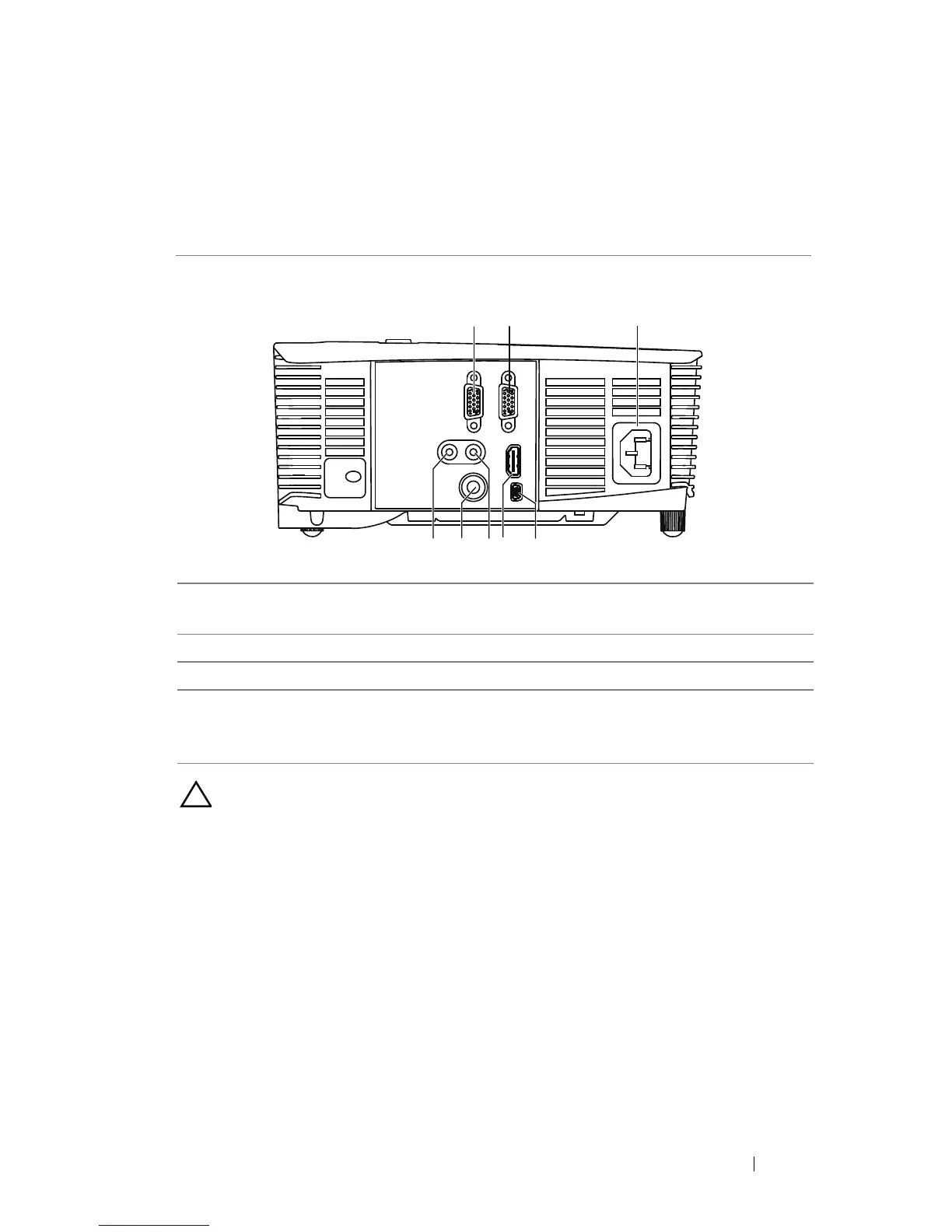
1 VGA output (monitor loop
through) connector
5 HDMI connector
2 VGA input (D-sub) connector 6 Audio input connector
3 Power cord connector 7 Composite Video connector
4 Mini USB (mini type B)
connector for remote mouse
and firmware upgrade
8 Audio output connector



 To Next Page