WARNING: Do not block, push objects into, or allow dust to accumulate in the air vents.
Do not store your Dell computer in a low-airflow environment, such as a closed briefcase,
while it is running. Restricting the airflow can damage the computer or cause a fire.
The computer turns on the fan when the computer gets hot. Fan noise is normal and does not
indicate a problem with the fan or the computer.
17 power and battery charge
status lights
18 keyboard
19 power button 20 device status lights
21 display
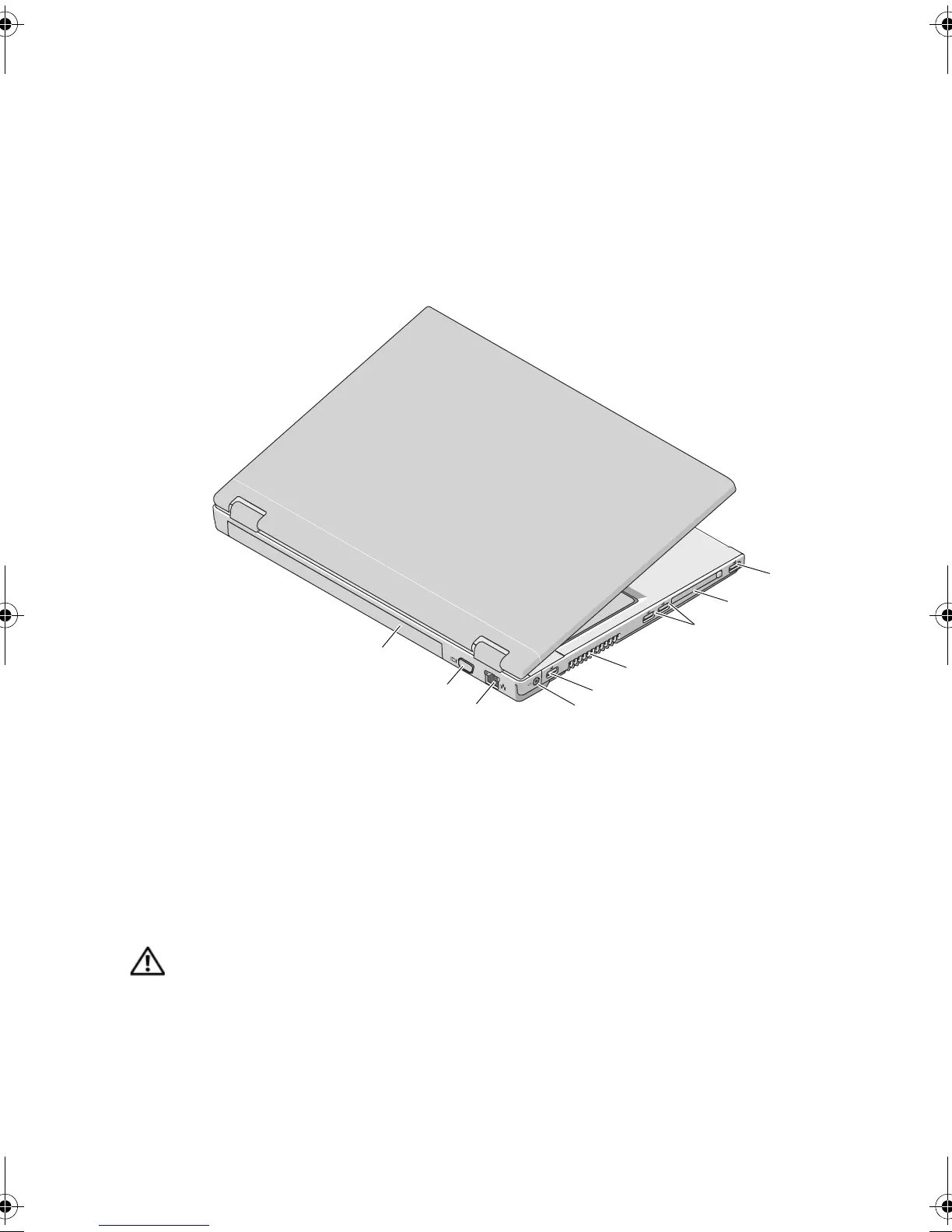
1 USB connector 2 ExpressCard/54 slot
3 USB connectors (2) 4 cooling vents
5 USB connector 6 AC Adapter connector
7 network connector 8 VGA connector
9 battery
1
2
3
4
6
7
8
9
5
X951Mam0.fm Page 6 Tuesday, March 24, 2009 11:19 AM



 To Next Page