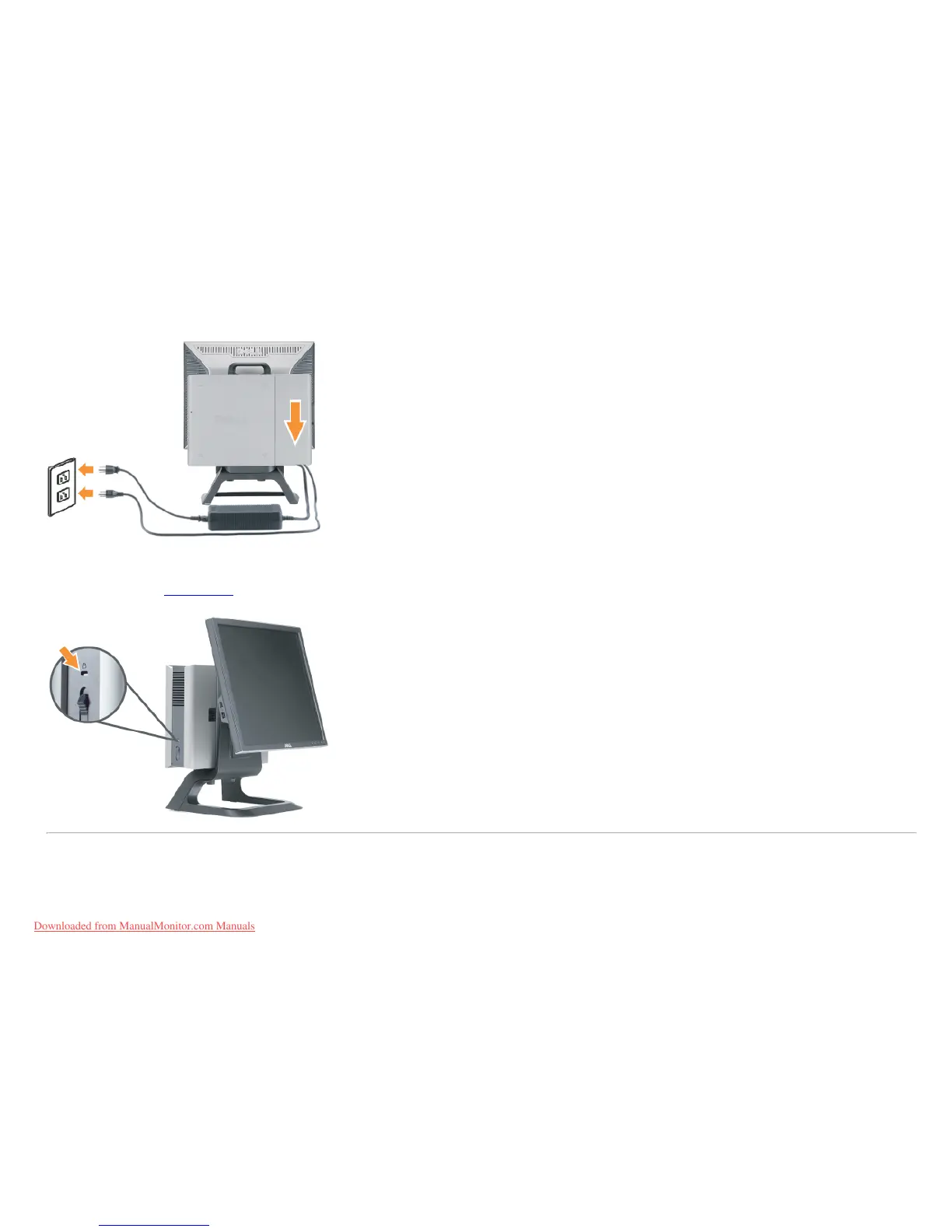
c) Plug the power cables of the computer and the monitor into a nearby outlet.
9. (Optional) Install security lock to the cable cover.
Power on both monitor and computer. If your monitor displays an image, installation is complete. If it does not
display an image, see Troubleshooting
.
Removing the Cable Cover and Cables from the Computer
1. Remove the optional security lock (if used).
2. Lift the unlock button in the cable cover, and lift the cable cover to remove it.
Downloaded from ManualMonitor.com Manuals










 To Next Page