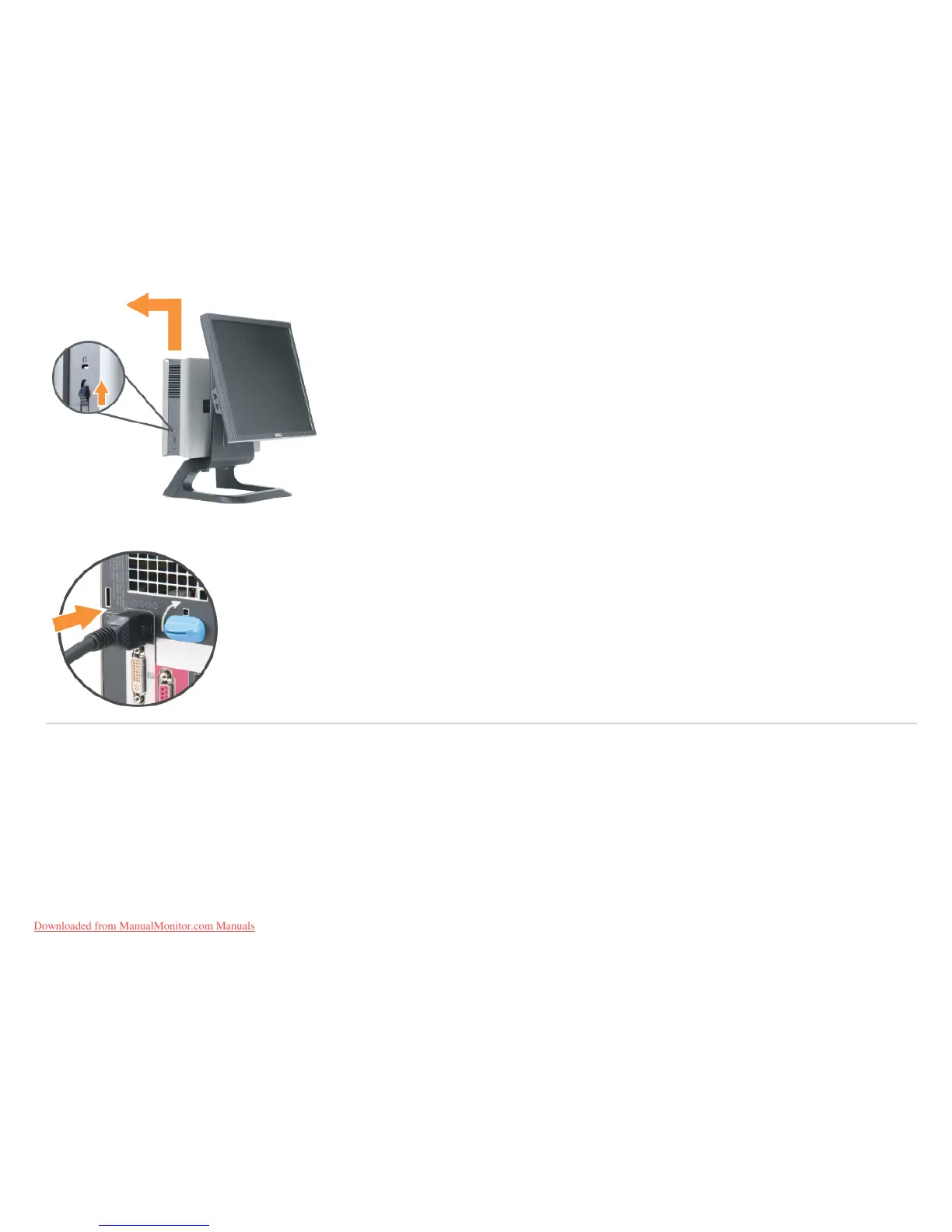
3. Push in the release button on the power cable before removing it from the computer.
Detaching the Monitor from the Stand
This monitor is VESA compliant for wall mounting, and detaching the monitor from the stand is necessary.
Steps for removing the monitor from the stand:
1. Press the stand removal button to release the stand.
Downloaded from ManualMonitor.com Manuals










 To Next Page