Dell 1710n Laser Printer
Hardware Quick Tips
Revised 11/06
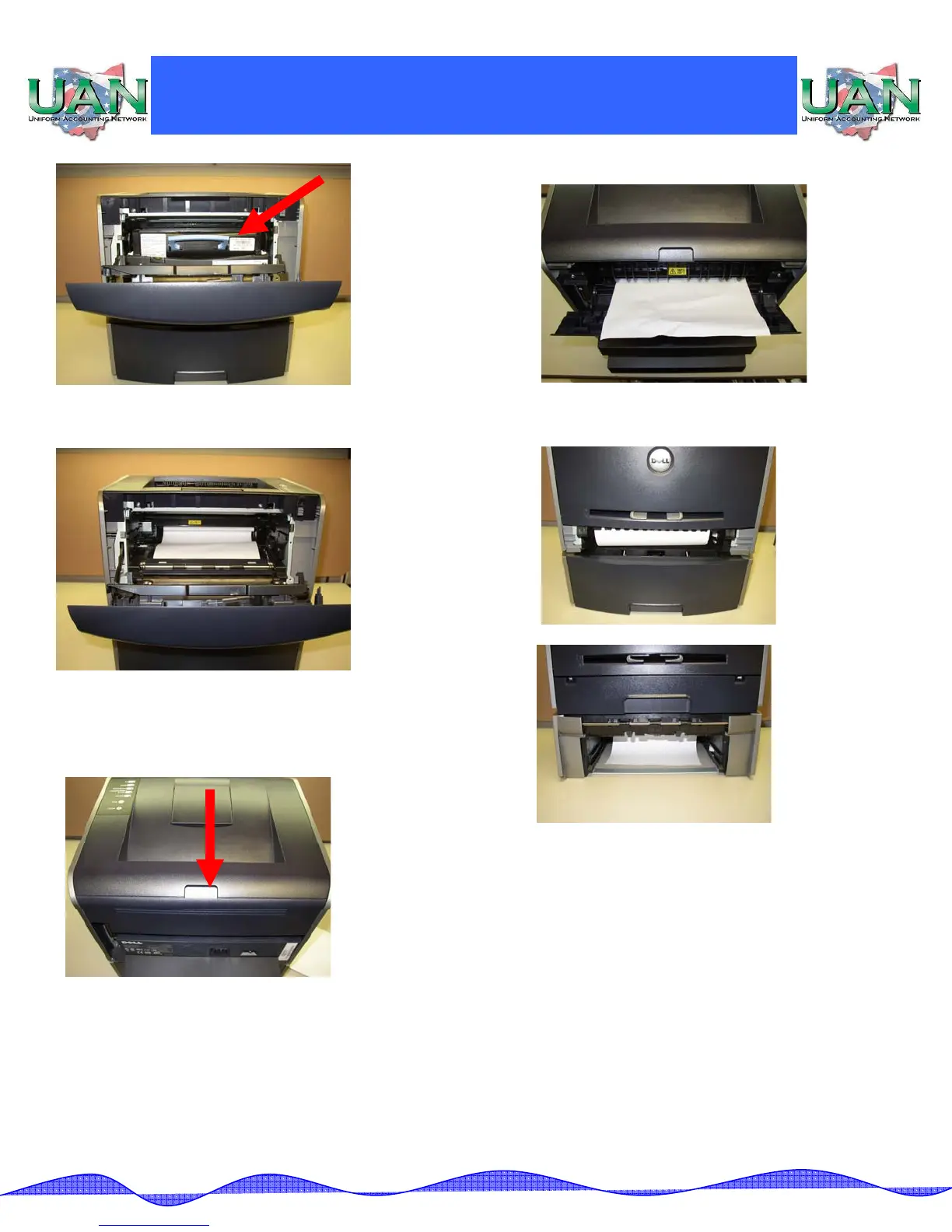
3. Remove any paper jam from the inside of the
printer.
4. Paper may also be jammed in the back of the
printer. Pull open the back door of the printer (as
indicated by the red arrow).
5. Remove the jammed paper and close the back door.
6. Paper may also be jammed in the paper trays. Open
the paper trays and remove any paper jams.



 To Next Page