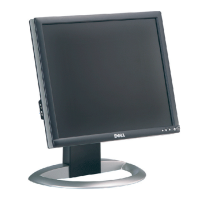
Need help?
Do you have a question about the Dell 1800FP and is the answer not in the manual?
Important safety guidelines for connecting and using the display to prevent hazards and ensure proper operation.
Step-by-step guide for connecting the display to a computer using DVI or D-Sub video cables.
Steps to configure the display resolution to 1280 x 1024 for optimal performance in Windows.
Self-test feature check, power saving mode issues, and signal range diagnostics for the display.
Table detailing common display symptoms, what you see, and their potential solutions.
Scan ranges, optimal/highest resolution, and preset display modes with associated frequencies.
Details on Dell's limited three-year warranty for hardware products in the US and Canada.
 General
| Screen Size | 18.1 inches |
|---|---|
| Resolution | 1280 x 1024 |
| Aspect Ratio | 5:4 |
| Brightness | 250 cd/m² |
| Response Time | 25 ms |
| Connectivity | VGA, DVI |
| Pixel Pitch | 0.2805 mm |
| Horizontal Refresh Rate | 30-81 kHz |
| Color Support | 16.7 million colors |
| Input Signal | Analog, Digital |
| Viewable Size | 18.1 inches |
| Features | Tilt, Swivel, Height Adjustment |


 To Next Page