6
|
Getting Started With Your System
Rackmount Setup
CAUTION: The cabinet is heavy (1000W: 19.0 kg/41.9 lb; 1920/1500W: 30 kg/66.1 lb; 2700W: 42 kg/92.6 lb): 1) Dell
strongly recommends to remove the battery tray from the UPS before lifting. 2) Lifting the cabinets into the rack
requires a minimum of two people.
CAUTION: Removing the batteries should be performed or supervised by personnel knowledgeable about
batteries and the required precautions. Keep unauthorized personnel away from batteries.
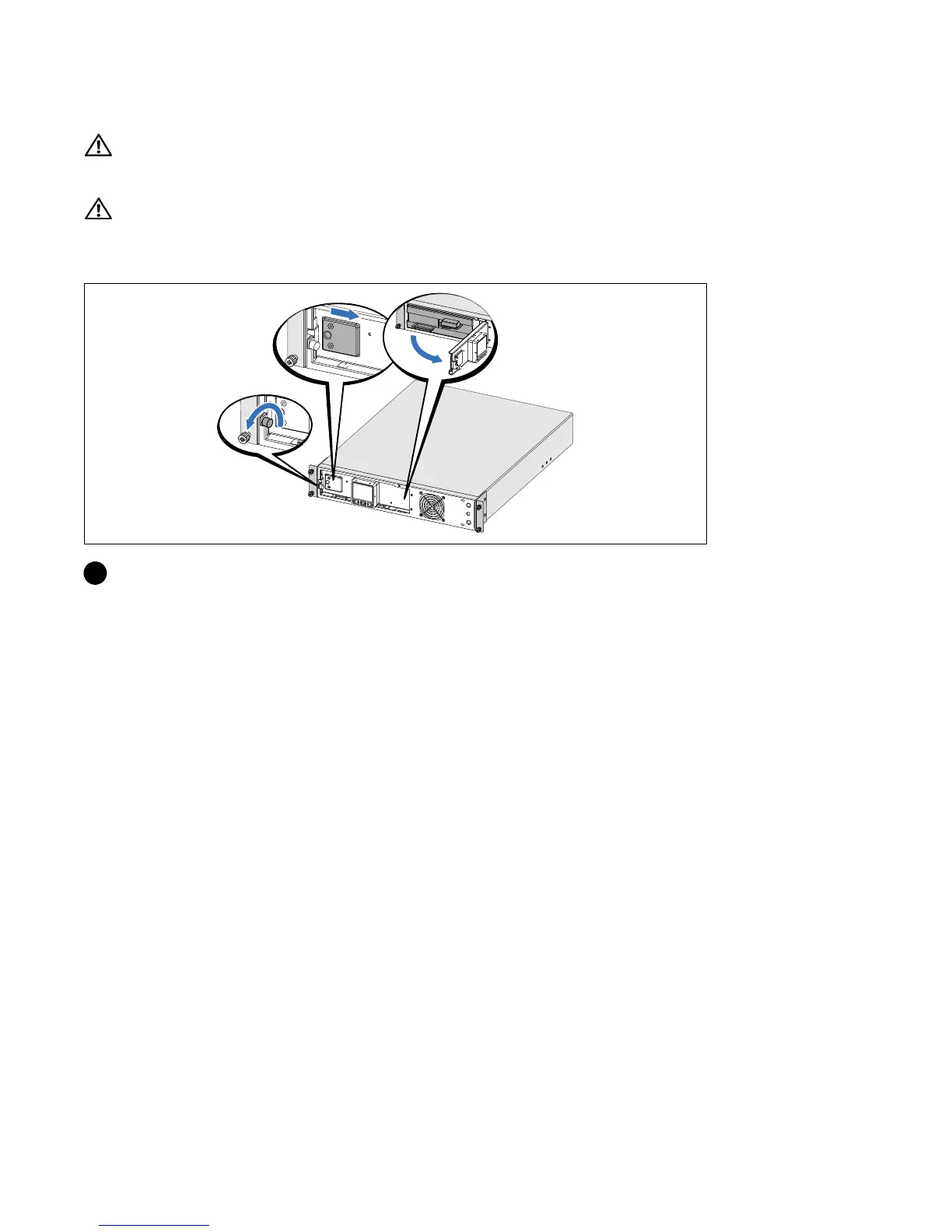
Opening the Battery Cover
1 Loosen the thumbscrew on the metal battery cover, slide the cover to the right, and open.



 To Next Page