13
Getting Started With Your System
|
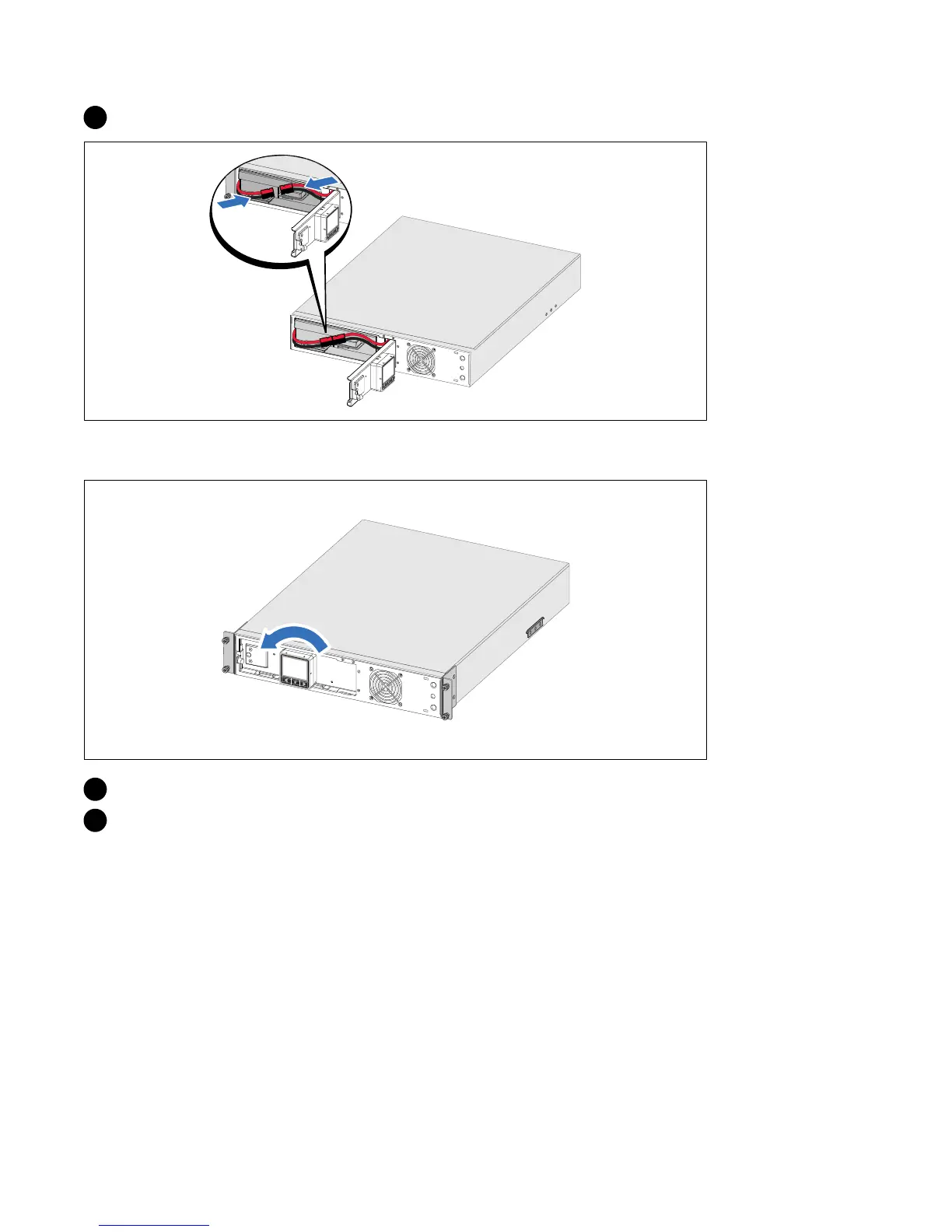
3 Connect the internal battery connector.
Rotating the UPS Control Panel Orientation
4 Rotate the control panel 90° counterclockwise.
5 Close the metal battery cover and tighten the thumbscrew.
Torque the screw to 0.7 Nm (6.2 lb in).



 To Next Page