12
|
Getting Started With Your System
Tower Setup (2700W UPS models only)
CAUTION: The cabinet is heavy (2700W: 42 kg/92.6 lb). Lifting the cabinets into the pedestals requires a
minimum of two people.
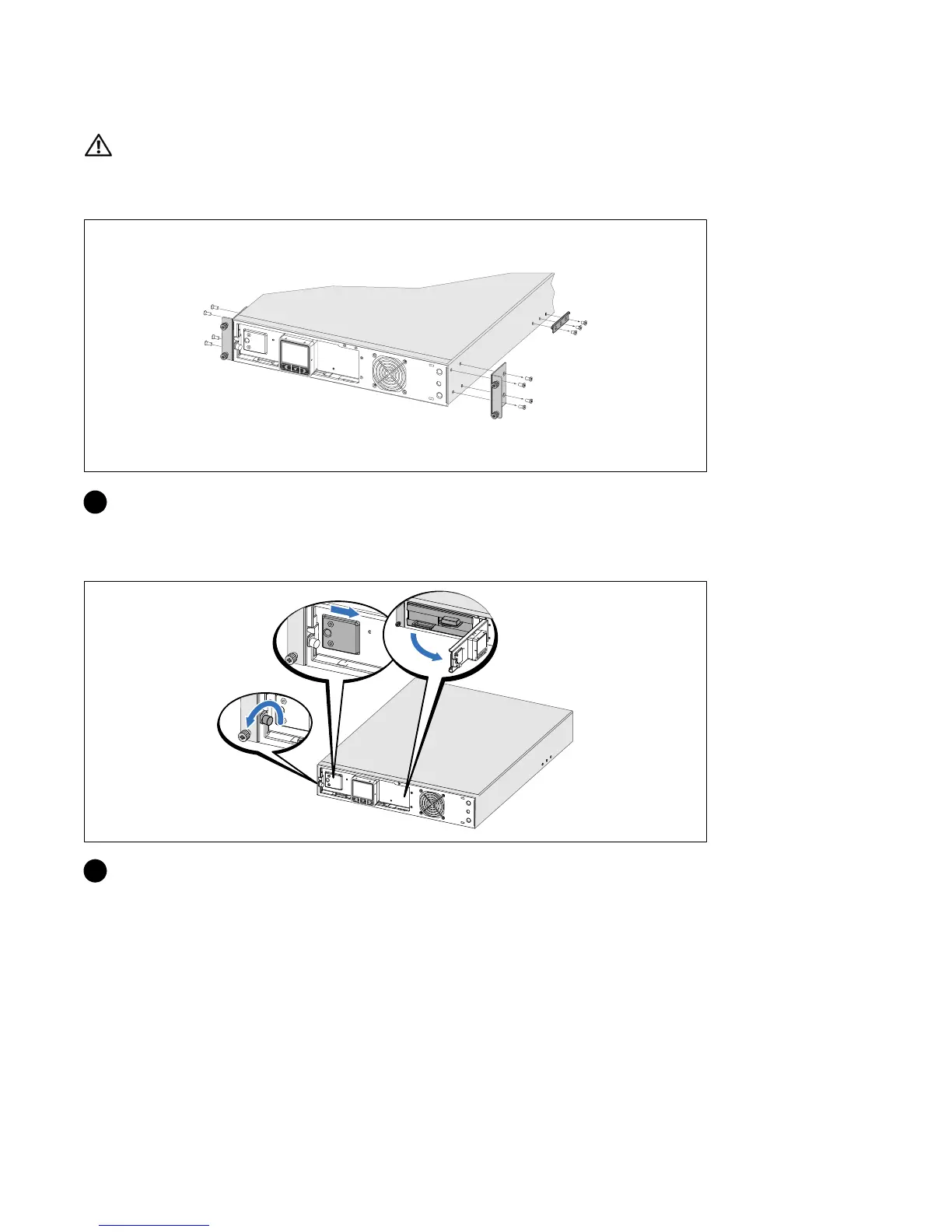
Removing the Mounting Brackets and Rear Hold-Down Brackets
1 Remove the mounting brackets and the rear hold-down brackets from the UPS using a Phillips
®
#2 screwdriver
Connecting the Internal Battery Connector
2 Loosen the thumbscrew on the metal battery cover, slide the cover to the right, and open.



 To Next Page