13
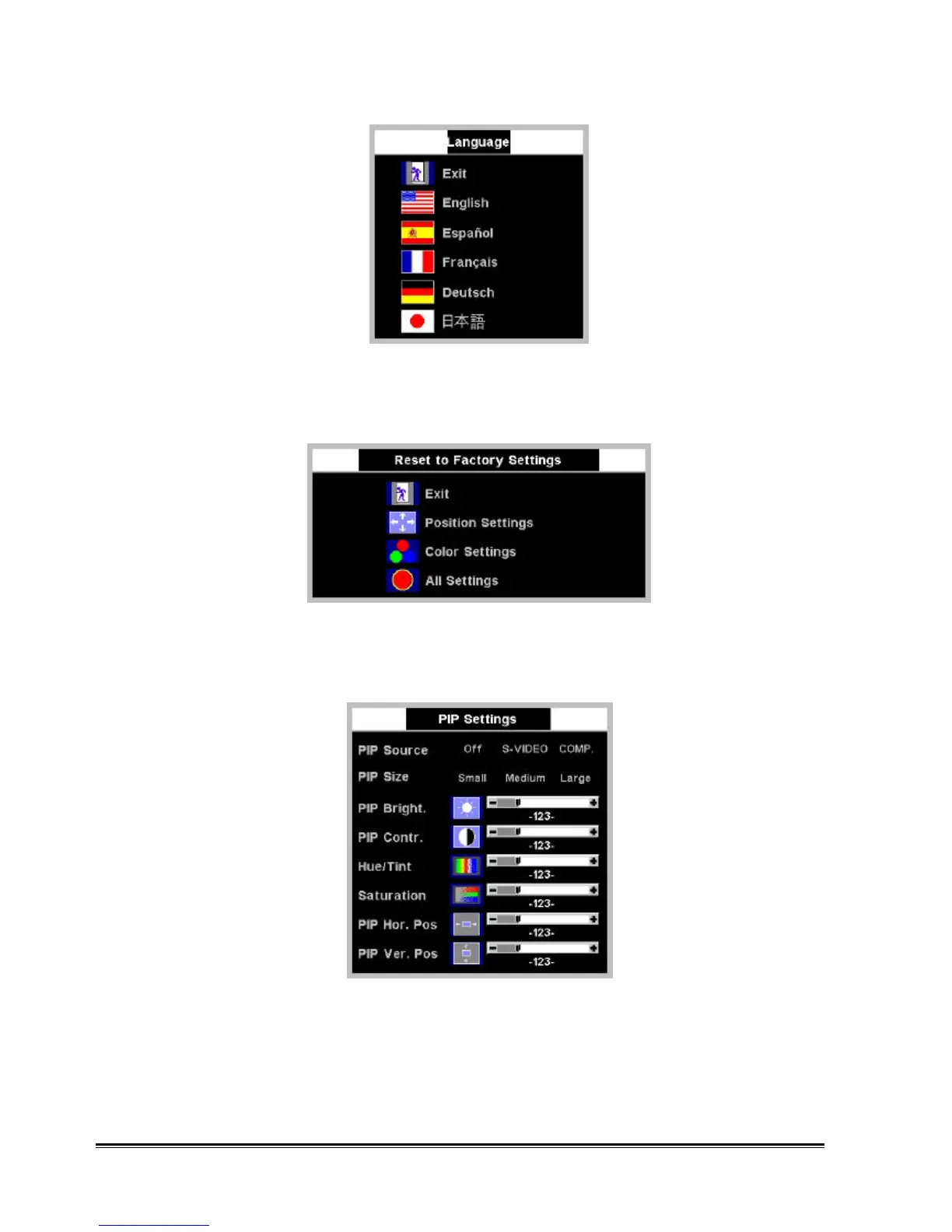
Factory Preset
The function of “Factory Preset” is to reset control settings to the factory preset values for the selected group of
functions. Press "" or "" to select “Position Setting”, “Color Setting”, and “All setting” and then press “Menu” to
execute.
PIP Settings
The function of “PIP Settings” is to set the Picture-In-Picture window. Press "" or "" to select “PIP Source”,
“PIP Size”, “PIP Bright”, “PIP Contr.”, “Hue/Tint”, “Saturation”, “PIP Hor. Pos”, or “PIP Ver. Pos” and press “+”
and “-“ to adjust the item selected.
PIP Source
Use +/– to select input sources from “S-VIDEO” and “COMPOSITE”. Or “Off” to turn off PIP window. Press
"Menu" to return to the previous OSD page.
PIP Size










 To Next Page