12 | Introduction
introduction
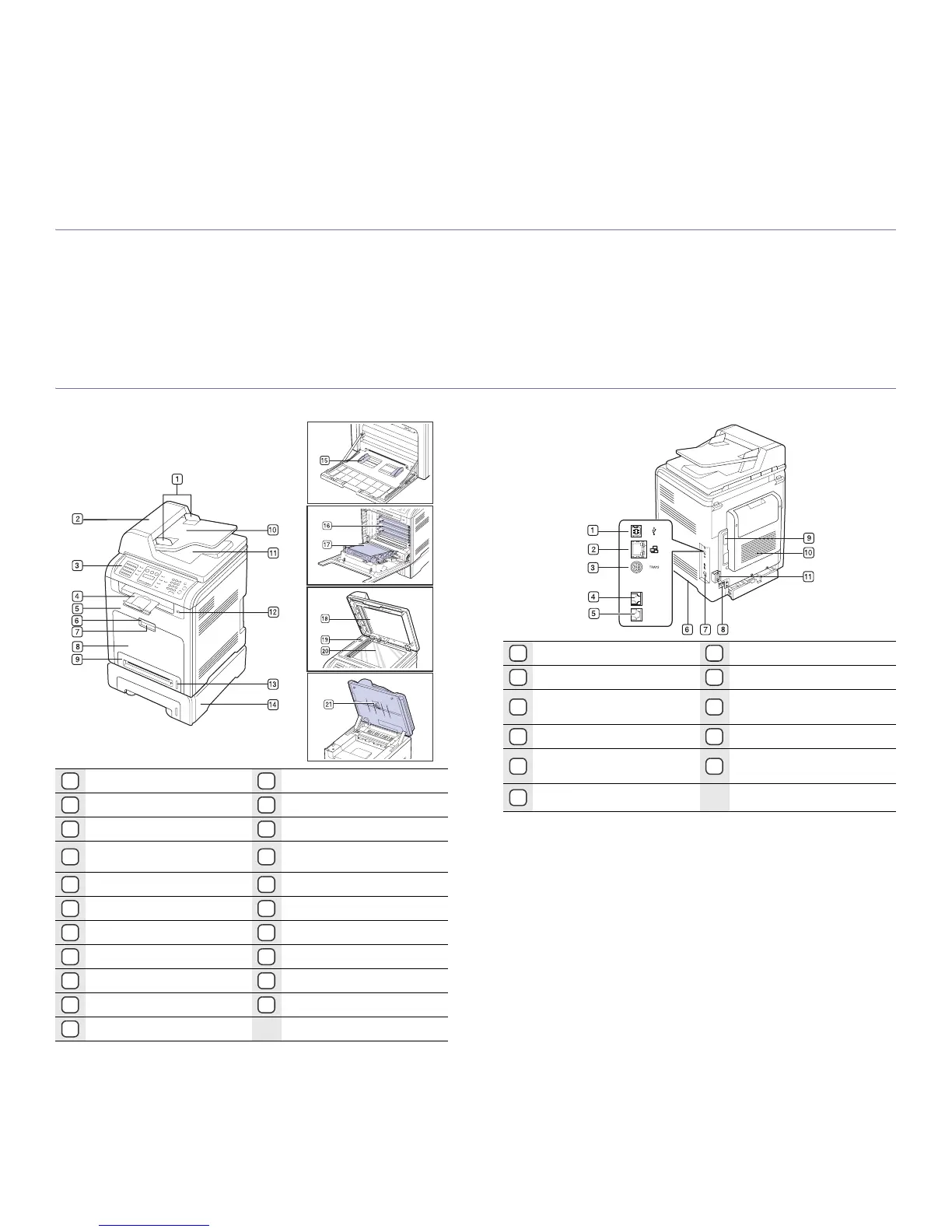
These are the main components of your printer:
This chapter includes:
• Printer overview
• Control panel overview
• Understanding the Status LED
• Acknowledging the status of the toner cartridge
• Menu overview
• Supplied software
• Printer driver features
PRINTER OVERVIEW
Front view Rear view
1
Document width guides
12
USB connector
2
DADF
13
Paper level indicator
3
Control panel
14
Optional tray 2
4
Output support
15
Multi-purpose tray paper
width guides
5
Front cover
16
Toner cartridge
6
Front cover handle
17
Paper transfer belt
7
Multi-purpose tray handle
18
Scanner lid
8
Multi-purpose tray
19
Scanner lock switch
9
Tray 1
20
Scanner glass
10
Document input tray
21
Scan unit
11
Document output tray
1
USB port
7
Power switch
2
Network connector
8
Power connector
3
15-pin optional tray
connection
9
Control board cover
4
Telephone line socket
10
Rear cover
5
Extension telephone socket
(EXT)
11
Cable organizer
6
Handle










 To Next Page