Troubleshooting | 69
In the optional tray
If paper is jammed in the optional Tray, follow the next steps to release the
jammed paper.
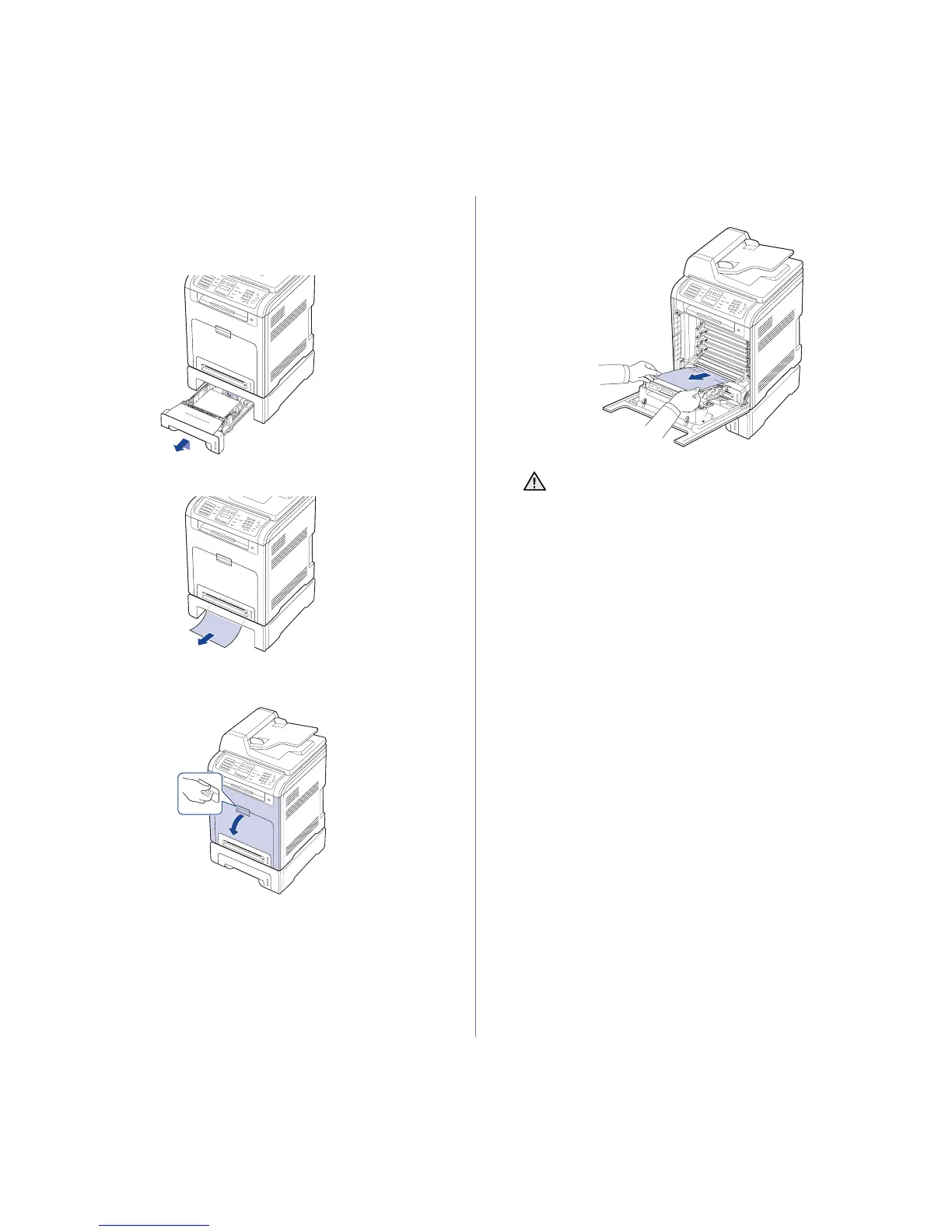
1. Pull the optional Tray open. After you pull it all the way out, lift up the
front part of the tray slightly to release the tray from the printer.
2. If you see the jammed paper, remove the paper from the printer by
gently pulling it straight out as shown below.
3. Slide the tray back into the printer.
4. Open the front cover.
5. Pull the jammed paper out in the direction shown. To avoid tearing the
paper, pull it out gently and slowly.
6. Close the front cover firmly. The printer will resume printing.
If the front cover is not completely closed, the printer will not
operate.










 To Next Page