18 This guide can be used for Dell™ laser printers 5330dn, 2335dn, and 2355dn
4
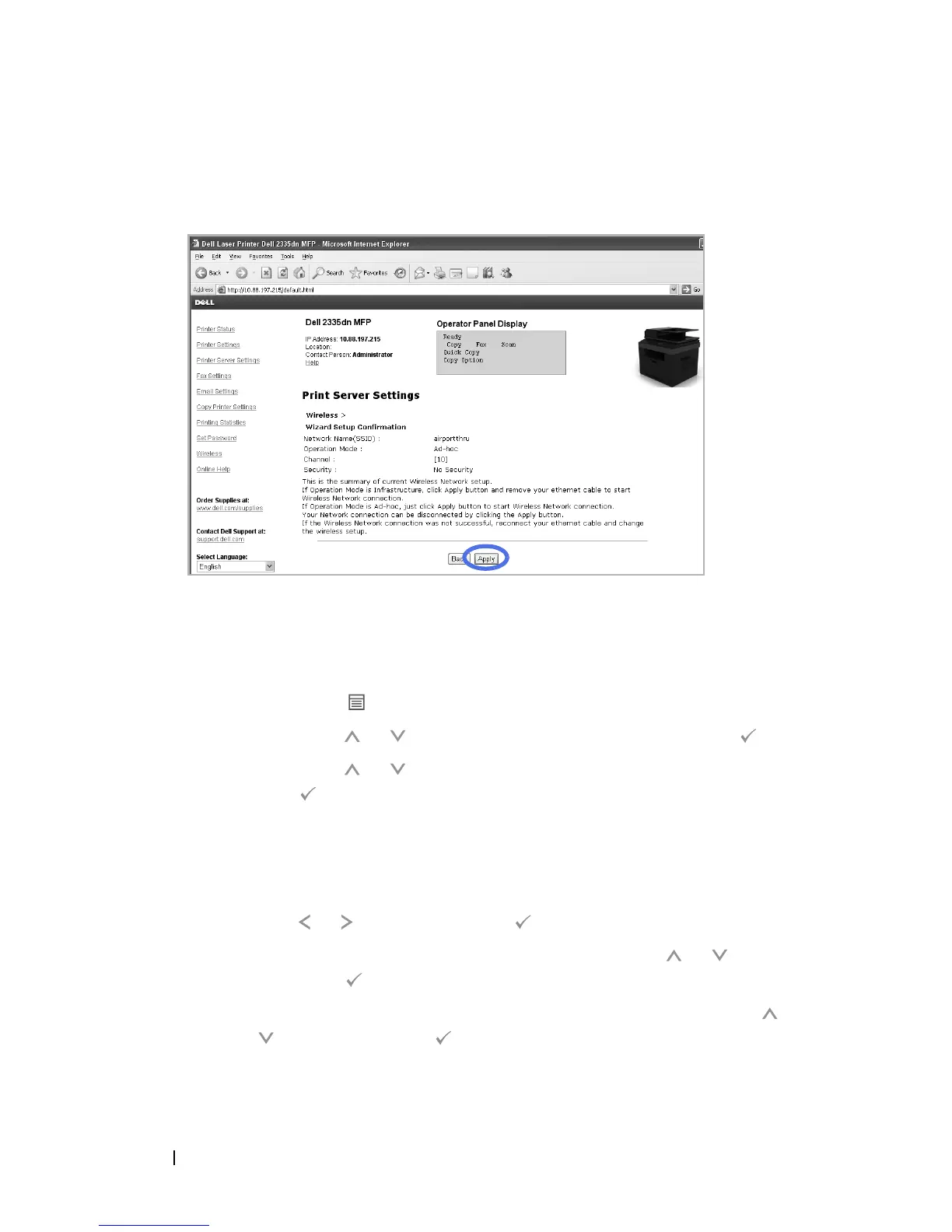
After you have set your network settings, click the
Apply
button at the
bottom of the page to confirm and apply your wireless settings and remove
Ethernet cable to start Wireless Network connection.
5
Verify that the Dell Internal Wireless Adapter is correctly configured to
your network by printing a
Configuration Page
.
For Dell 5330dn Mono Laser:
a
Press
Menu
().
b
Press
Scroll
( or ) to highlight
Reports
and press
Select
().
c
Press
Scroll
( or ) to highlight
Network Settings
and press
Select
().
d
The printer
Configuration Page
is printed.
For Dell 2335dn MFP:
a
On the main menu of the operator panel, scroll to
Setup
using
Scroll
( or ) and press
Select
().
b
On the
Setup
menu, scroll to
Reports
using
Scroll
( or ) and
press
Select
().
c
On the
Reports
menu, scroll to
Network Settings
using
Scroll
(
or ) and press
Select
().
d
The printer
Configuration Page
is printed.



 To Next Page