Back to Contents Page
Using Your Adjustable Monitor Stand
Dell™2707WFPFlatPanelMonitorUser'sGuide
Organizing Your Cables
Using the Tilt, Swivel and Vertical Extension
Organizing Your Cables
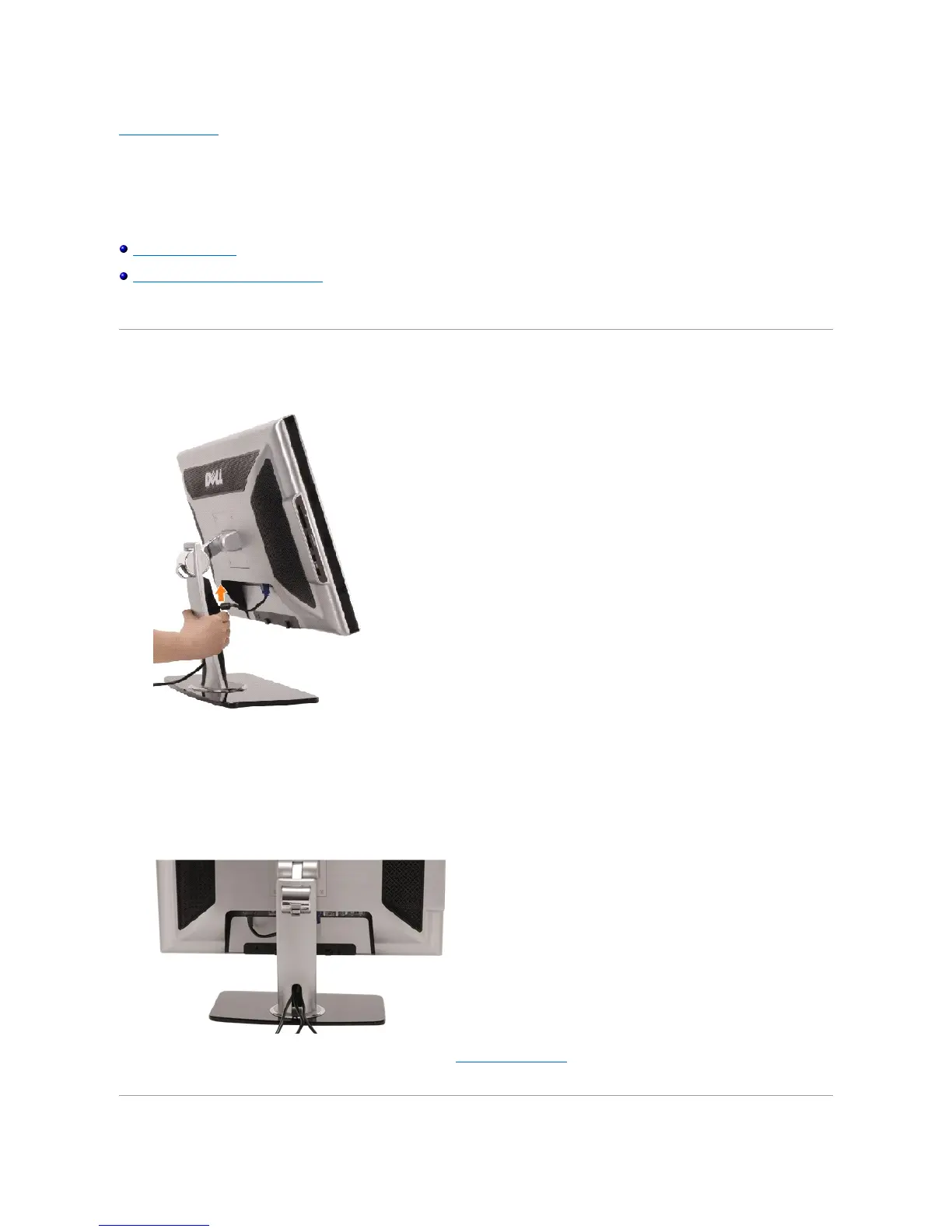
1. Hold the cable cover firmly and press it slightly against the stand. Slide the cable cover upward to remove it from the stand.
2. Route the cables through the hole at the bottom of the stand and connect them to their respective connectors. Arrange the cables with the cable clips on
the stand.
3. Reattach the cable cover by positioning and sliding it to its original position.
After attaching all necessary cables to your monitor and computer, (See Connecting Your Monitor for cable attachment, use the cable management hole
to neatly organize all cables as shown above.


 To Next Page