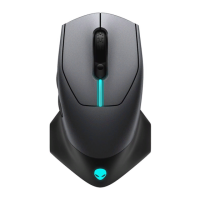
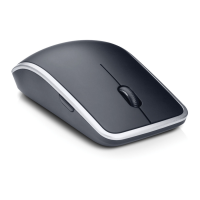
Dell™TravelMouseWithBluetooth
®
Technology User's Guide
Overview
This user's guide contains information that will help you to setup and operate your mouse in a fast and easy manner.
Information in this document is subject to change without notice.
©2007 Dell Computer Corporation. All rights reserved.
Dell and the Dell logo are trademarks of Dell Computer Corporation; Bluetooth is a registered trademark owned by Blutooth SIG, Inc. and is used by Dell under
license.; Microsoft, Windows, and Windows Vista are either trademarks or registered trademarks in the United States and/or other countries.
Other trademarks and trade names may be used in this document to refer to either the entities claiming the marks and names or their products. Dell disclaims
any proprietary interest in trademarks and trade names other than its own.
Export Regulations
Customer acknowledges that these Products, which may include technology and software, are subject to the customs and export control laws and regulations
of the United States ("U.S.") and may also be subject to the customs and export laws and regulations of the country in which the Products are manufactured
and/or received. Customer agrees to abide by those laws and regulations. Further, under U.S. law, the Products may not be sold, leased or otherwise
transferred to restricted end-users or to restricted countries. In addition, the Products may not be sold, leased or otherwise transferred to, or utilized by an
end-user engaged in activities related to weapons of mass destruction, including without limitation, activities related to the design, development, production
or use of nuclear weapons, materials, or facilities, missiles or the support of missile projects, and chemical or biological weapons.
Initial Release : 8 June 2007

 Need help?
 General

 To Next Page