Using Your Projector 27
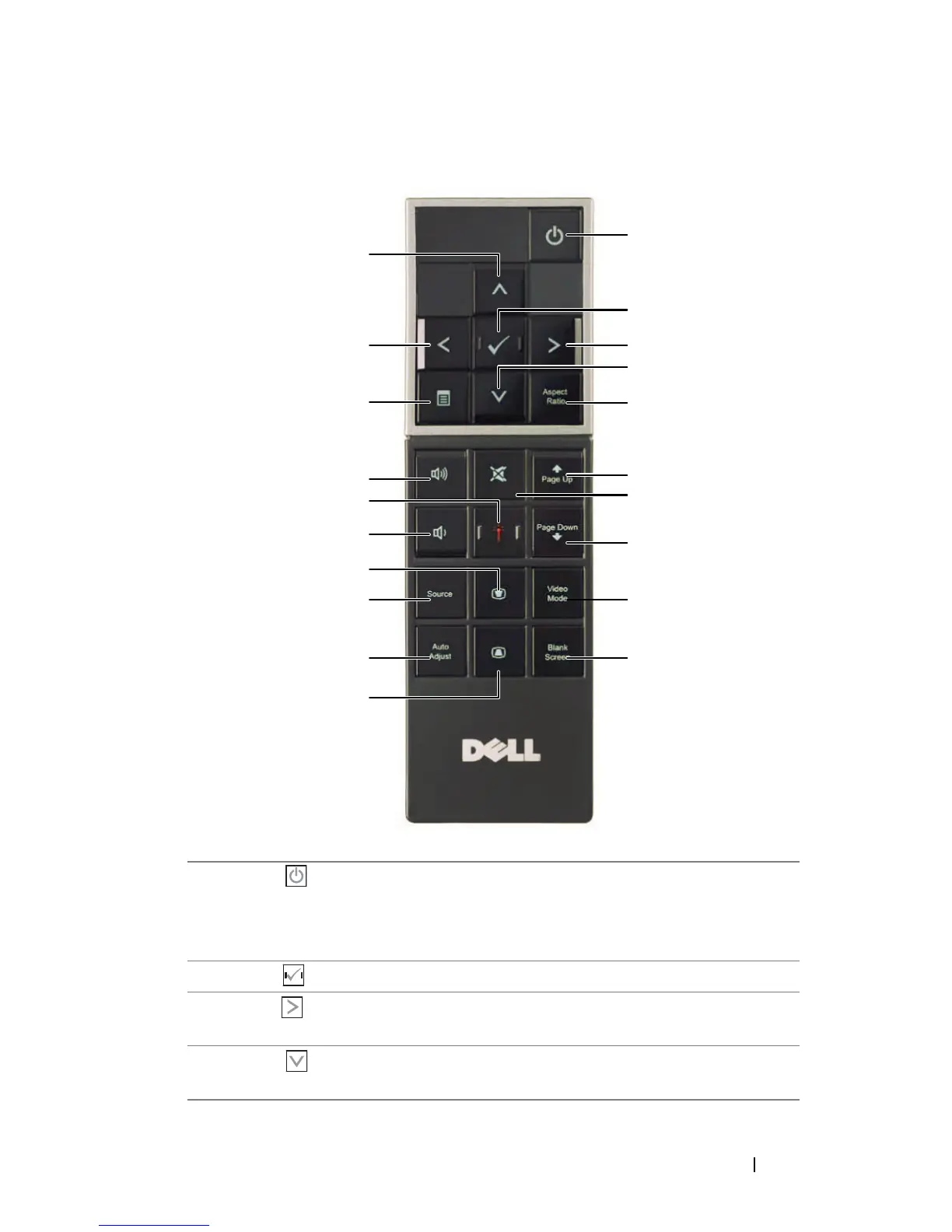
Using the Remote Control
1 Power Turns the projector on or off. For more
information, see "Turning Your Projector On" on
page 20 and "Turning Your Projector Off" on
page 20.
2 Enter Press to confirm the selection.
3 Right Press to navigate through the On-Screen Display
(OSD) Menu items.
4 Down Press to navigate through the On-Screen Display
(OSD) Menu items.
1
3
5
6
8
9
10
2
4
7
11
15
17
20
12
13
14
16
18
19



 To Next Page