Getting Started 11
1
Getting Started
Accessing Your
User’s Guide
Click Start → All Program(s) → Dell Printers → Dell Photo Printer 540 →
View Dell User’s Guide.
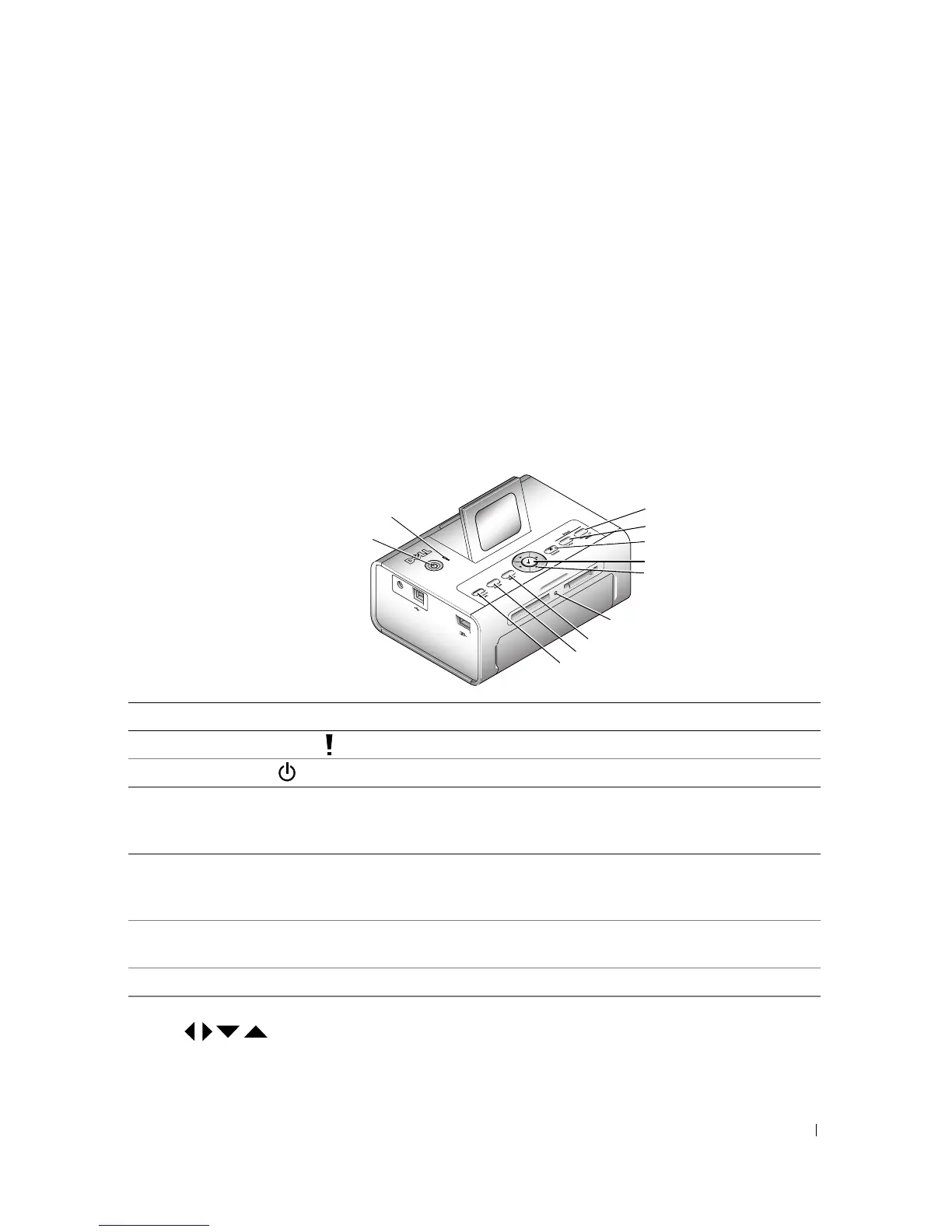
Understanding the Printer Parts
Lights and Buttons Description
1 Error indicator light Glows amber when an error condition exists.
2 Power button Turn your printer on or off; button is lit when power is on.
3Save to PC Establishes a connection with your computer that allows you
to save photos from your memory card, USB storage device,
or camera directly to the computer.
4Rotate Rotates a photo 90 degrees each time button is pressed. (For
display purposes only. Does not change orientation of a
printed photo.)
5Menu Change settings and customize printing options. (See page
17.)
6 Memory card light Light blinks while checking card, then glows steady green.
7 Navigation (Arrow) buttons Navigate through photos and menus.
4
5
6
7
9
1
3
10
2
11
8












 To Next Page