Getting Started 13
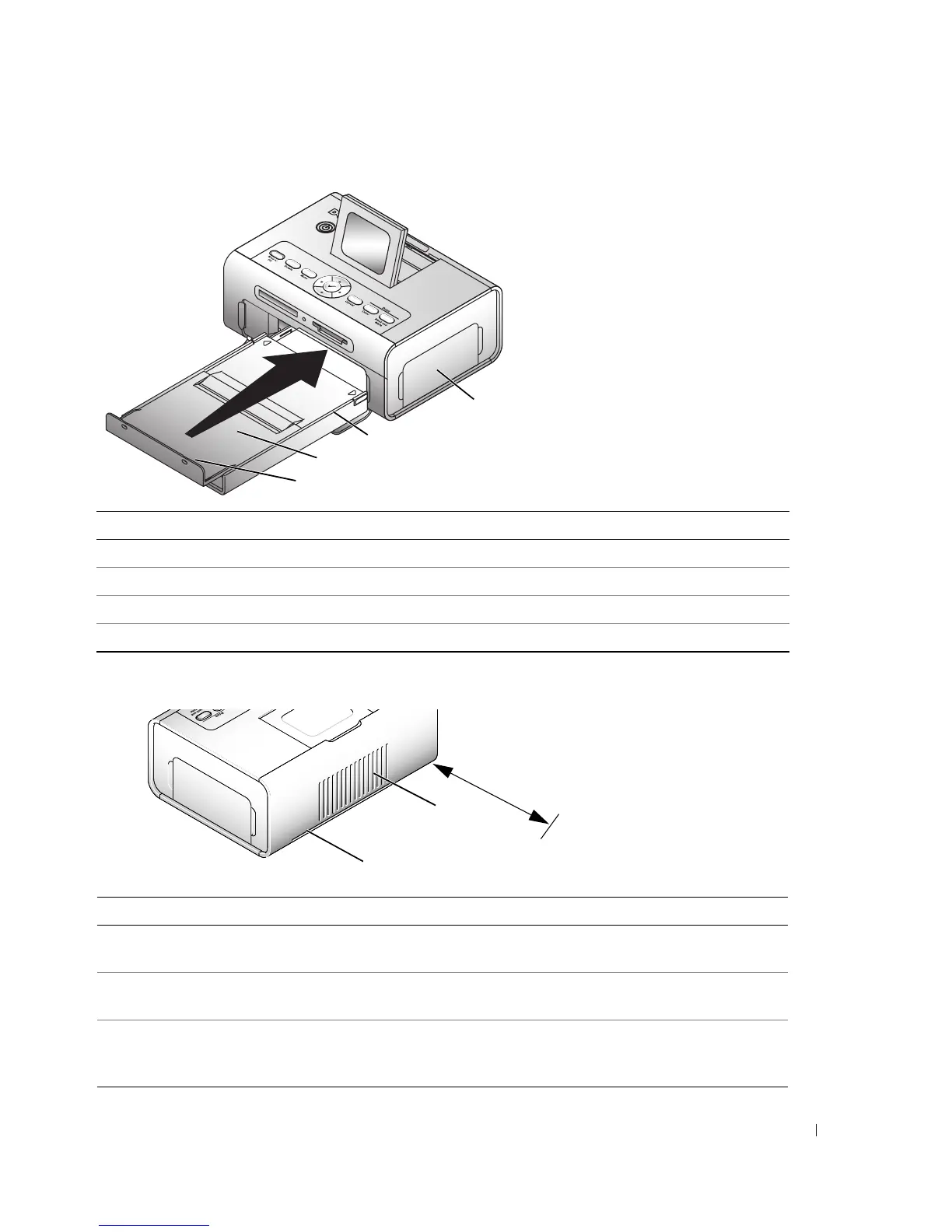
Part Description
1 Paper stop Maintains orderly stack of finished prints.
2 Top paper tray cover Finished prints are stacked here.
3 Bottom paper tray cover Keeps dust off photo paper.
4 Photo cartridge door Provides access to load photo cartridge.
Part Description
1 Slot for photo paper path Photo paper exits here during printing passes. Do not
block the slot. 5 in. (12.7 cm) clearance is required.
2 Air vents Provide ventilation and cooling to the printer. Do not
block the vents.
3 Express Service Code Located on the bottom of the printer. This is used to
identify your printer when you use support.dell.com or
contact technical support.
1
2
3
4
1
2
5 in.
(12.7 cm)












 To Next Page