16 Getting Started
www.dell.com | support.dell.com
4
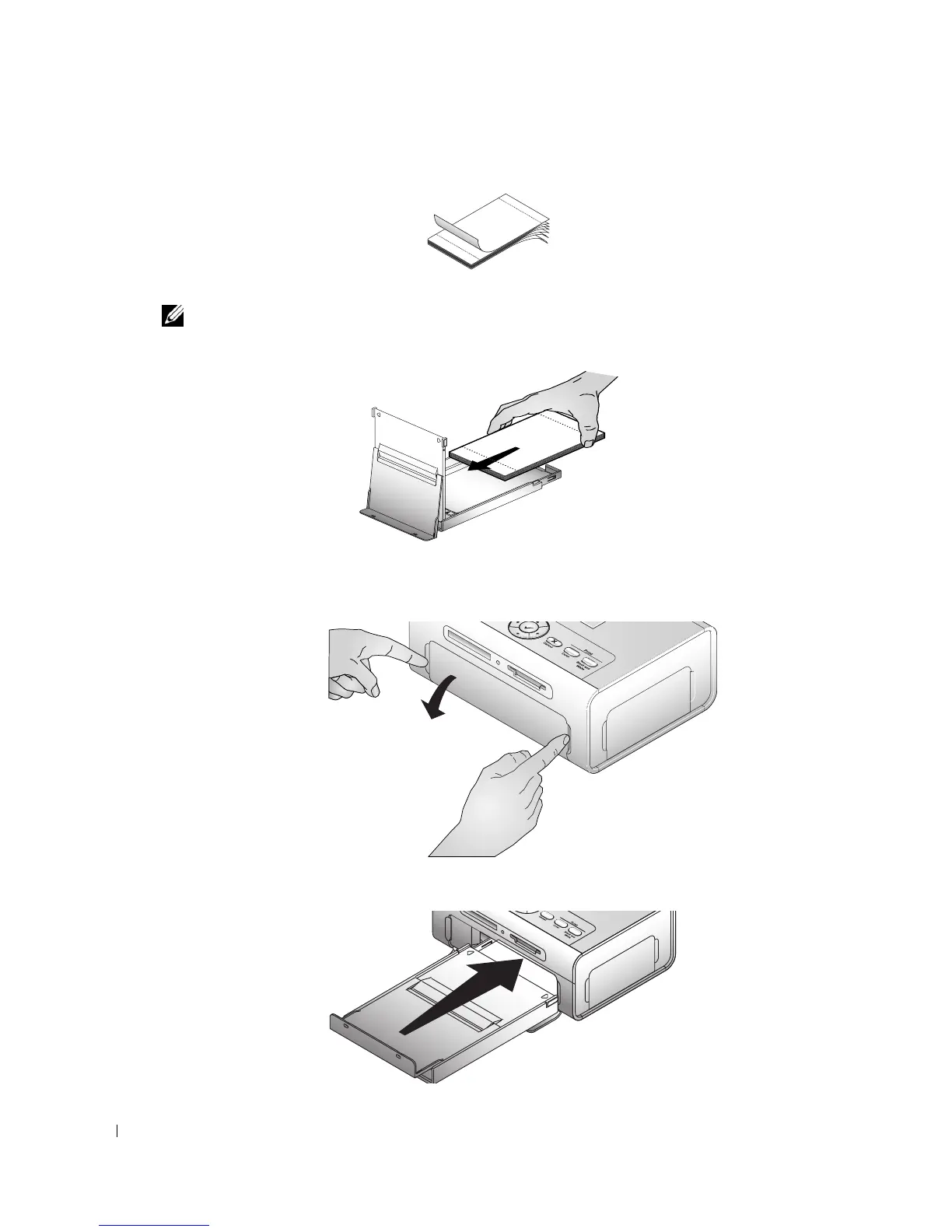
Fan the photo paper to keep the sheets from sticking together.
5
Load the photo paper into the paper tray, with the glossy side up and the Dell logo side down.
NOTE: Do not load more than 20 sheets of photo paper in the paper tray. Do not load photo paper that is
missing perforated tabs. To avoid fingerprints, hold the photo paper by the edges and do not touch the
glossy side of the paper.
6
Close the bottom paper tray cover. The top paper tray cover must remain open; it catches
finished prints.
7
Open the paper tray door.
8
With the top paper tray cover open, insert the paper tray into the printer.












 To Next Page