44 Installing and Configuring Hardware
9
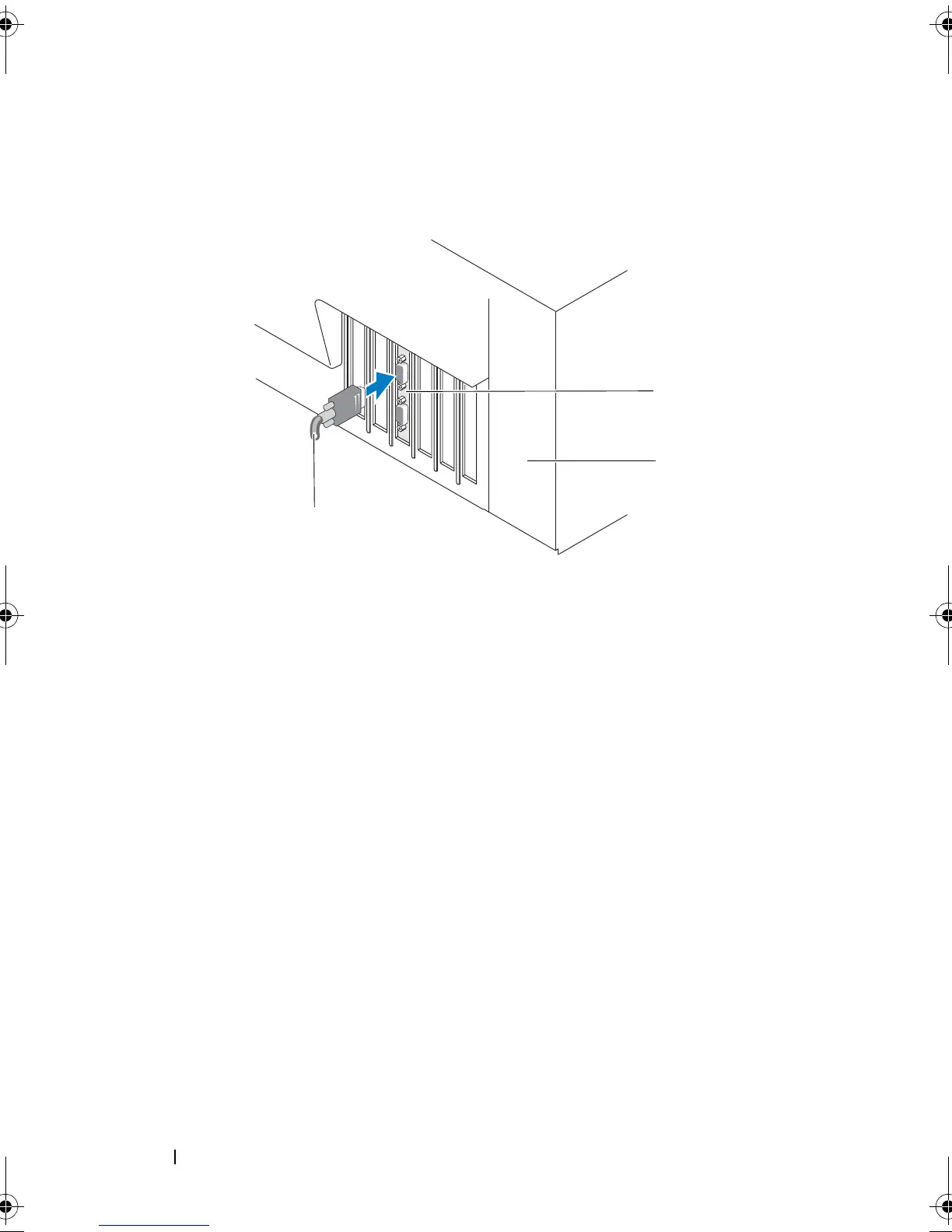
Connect the cable from the external enclosure to the controller. For more
information, see Figure 4-3.
Figure 4-3. Connecting the Cable From the External Enclosure
10
For PERC 6/i adapter, connect the cables from the backplane of the system
to the controller. The primary SAS connector is white and the secondary
SAS connector is black. For more information, see Figure 4-4.
1 connector on the controller 3 cable from the external enclosure
2 system
Dell_PERC6.2_UG.book Page 44 Wednesday, June 24, 2009 6:08 PM



 To Next Page