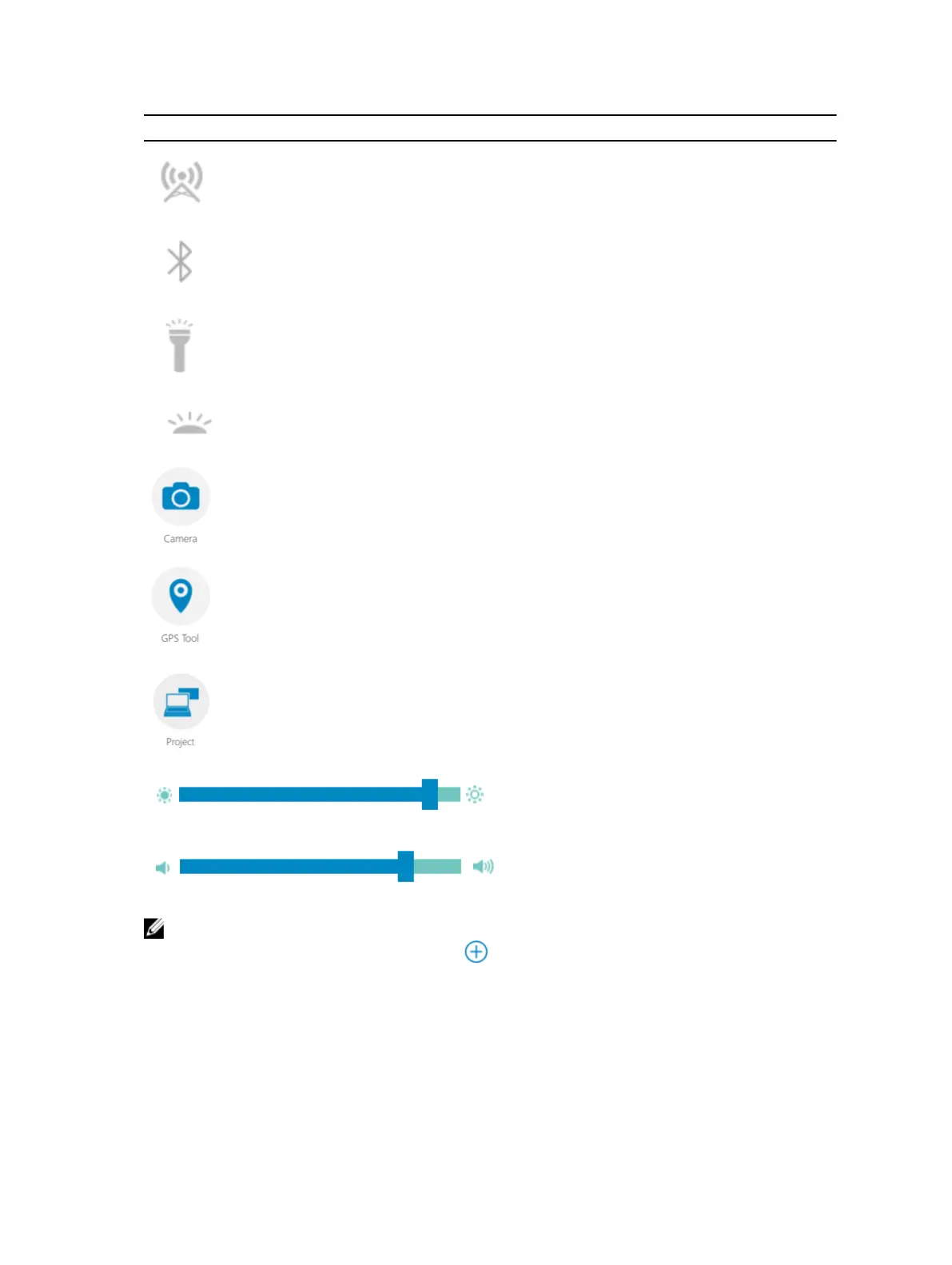
Feature Description
Allows you to enable or disable the WWAN /
Mobile broadband service (if configured).
Allows you to enable or disable Bluetooth.
Allows you to turn on or off the built-in flashlight.
Allows you to enable or disable the Automatic
Light Sensor.
Launches the camera application.
Launches the GPS control panel, which allows you
to enable or disable the GPS. If you enable the
GPS, the control panel will also show your current
location, along with the time, date, latitude, and
longitude.
Launches the Window panel to select the display
option, if you have connected to an external
monitor or to any other source.
Allows you to increase or decrease the brightness
in the display.
Allows you to increase or decrease the volume of
the speakers.
NOTE: The options that are displayed in the RCC home screen are the default options. You can add
a feature to the application, by clicking the
icon.
12










 To Next Page