Enabling or Disabling the Keyboard Backlight
NOTE: This feature can be used only if the tablet is connected to an external keyboard accessory
(sold separately).
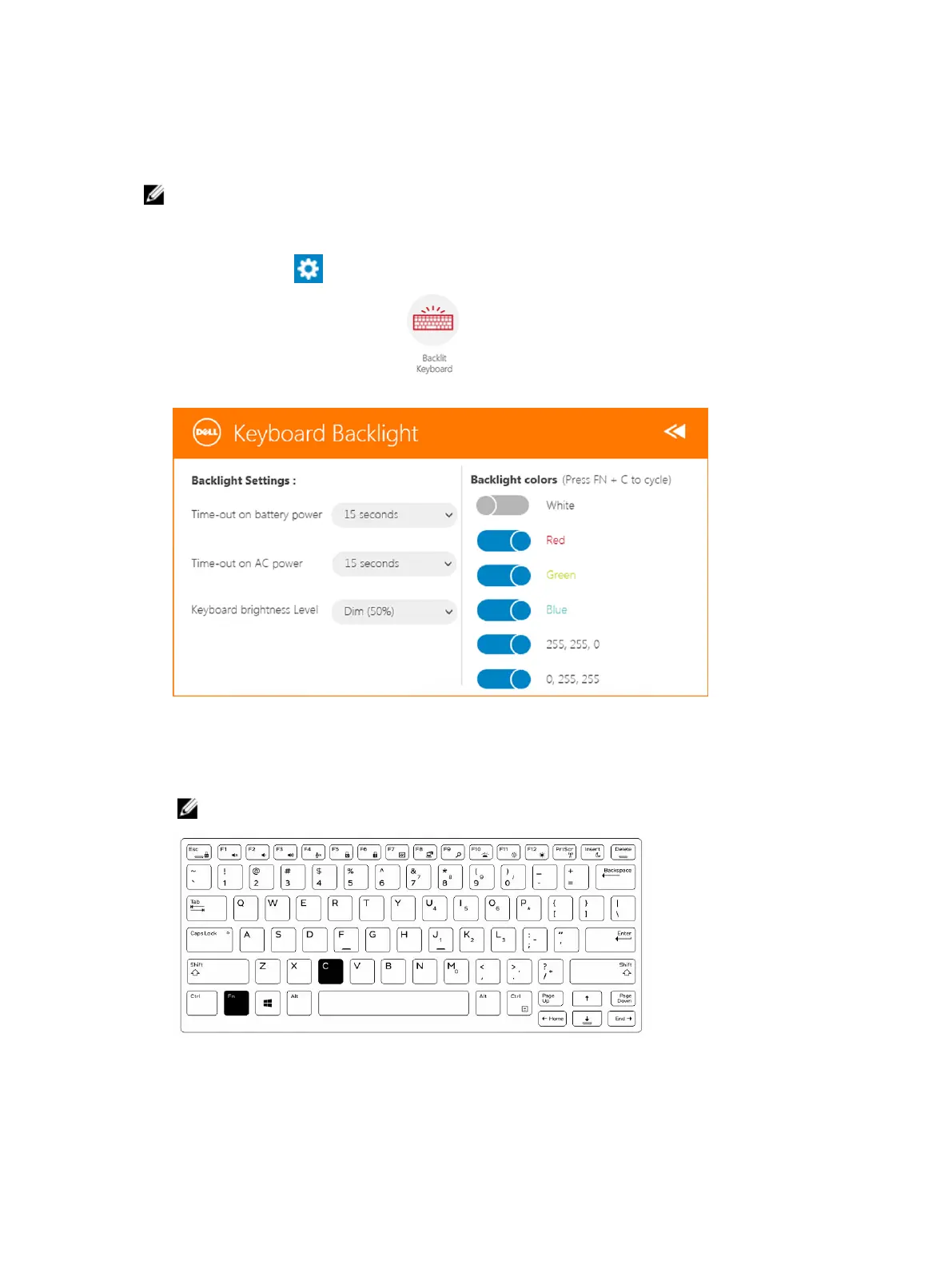
1. Launch the Rugged Control Center application.
2. Press the Settings button on the top-right corner.
3.
Press the Backlit Keyboard button to access the Backlit Keyboard control panel.
4. Adjust the required parameters for Backlight settings and Backlight colors.
Changing the Keyboard Backlight Colors
1. Press <Fn> + < C> keys to cycle through the available backlight colors.
NOTE: Press <Fn> + < C> keys to cycle through the available backlight colors.
2. Press <Fn> + < F10> keys to adjust the brightness.
15












 To Next Page