7
Enabling and Disabling Wireless (WiFi)
Feature
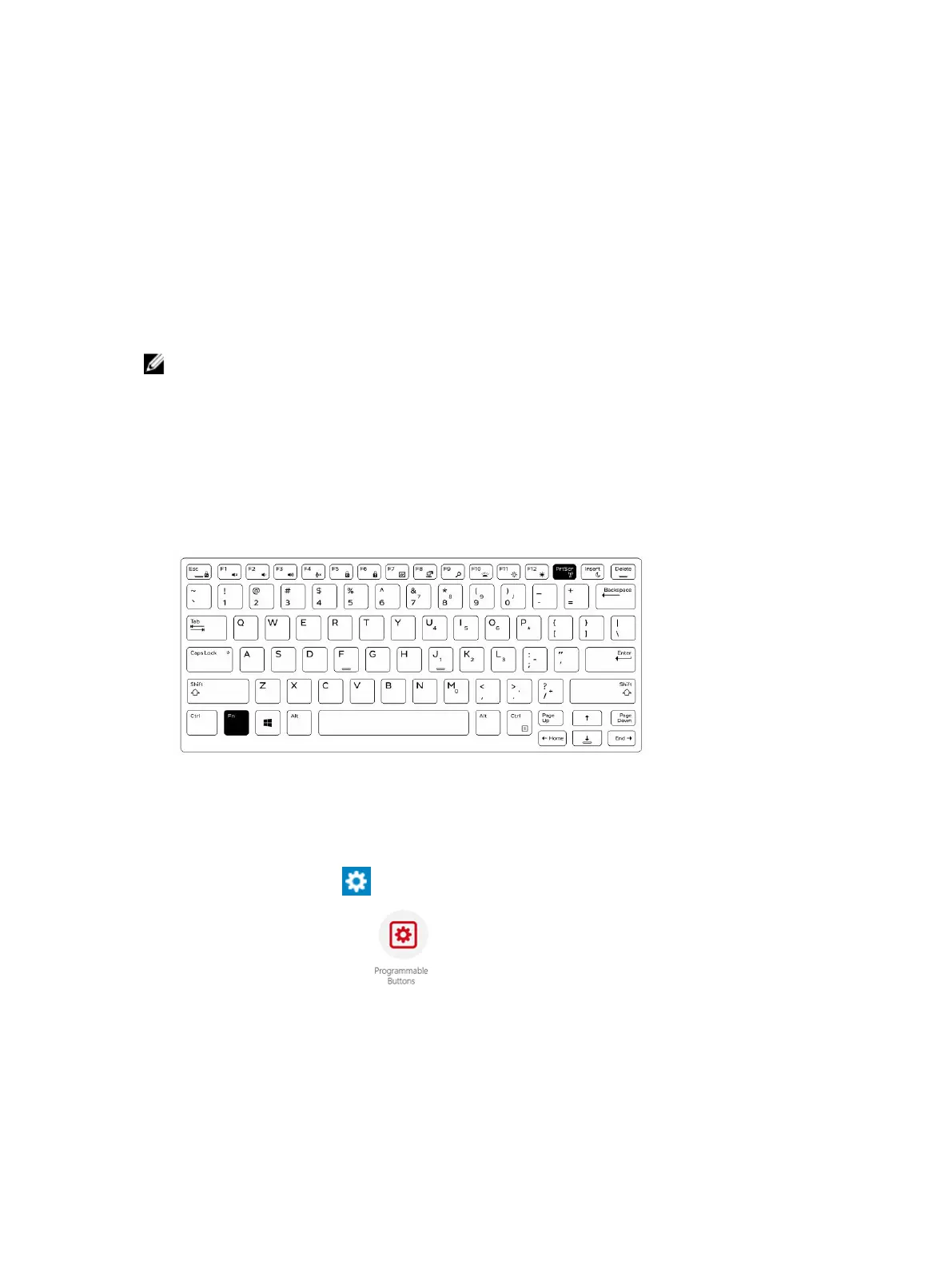
You can enable or disable the wireless (Wi-Fi) feature, using the optional keyboard accessory and using
the programmable buttons in RCC application.
NOTE: WiFi can also be enabled/disabled by using the user defined programmable buttons on the
tablet.
Enabling or Disabling Wireless (WI-Fi) Feature Using
Optional Keyboard Accessory
1. Press the <Fn> + <PrtScr> keys to enable wireless feature.
2. Press the<Fn> + < PrtScr> keys again to disable wireless feature.
Enabling and Disabling Wireless (WiFi) Feature Using RCC
1. Launch the Rugged Control Center application on your tablet.
2. Press the Settings button on the top-right corner .
3. Press Programmable buttons .
4. Set any of the 3 programmable buttons to Wireless on/off.
18













 To Next Page