122 Installing System Components
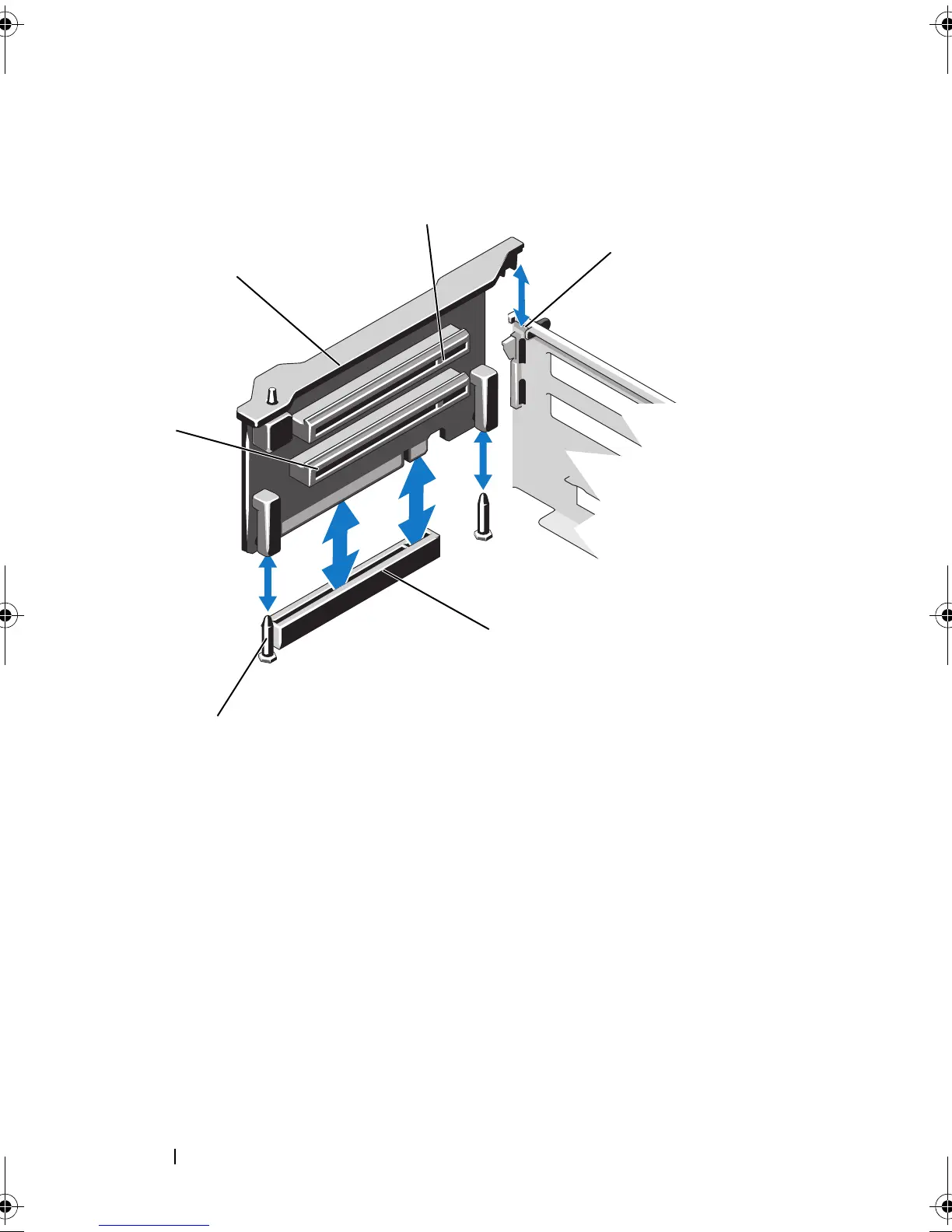
Figure 3-18. Installing or Removing Expansion-Card Riser 2
Installing Expansion-Card Riser 2
1
Align the expansion-card riser with the riser guide pins on the system
board and the slot on the chassis. See Figure 3-17.
2
Lower the expansion-card riser into place until the expansion-card riser
connector is fully seated.
3
If applicable, reinstall the expansion card(s). See "Installing an Expansion
Card" on page 116.
1 expansion-card riser 2 2 expansion-card slot 5
3 slot on chassis 4 riser 2 connector on system board
5 riser guide pins (2) 6 expansion-card slot 6
book.book Page 122 Thursday, February 18, 2010 2:06 PM












 To Next Page