124 Installing System Components
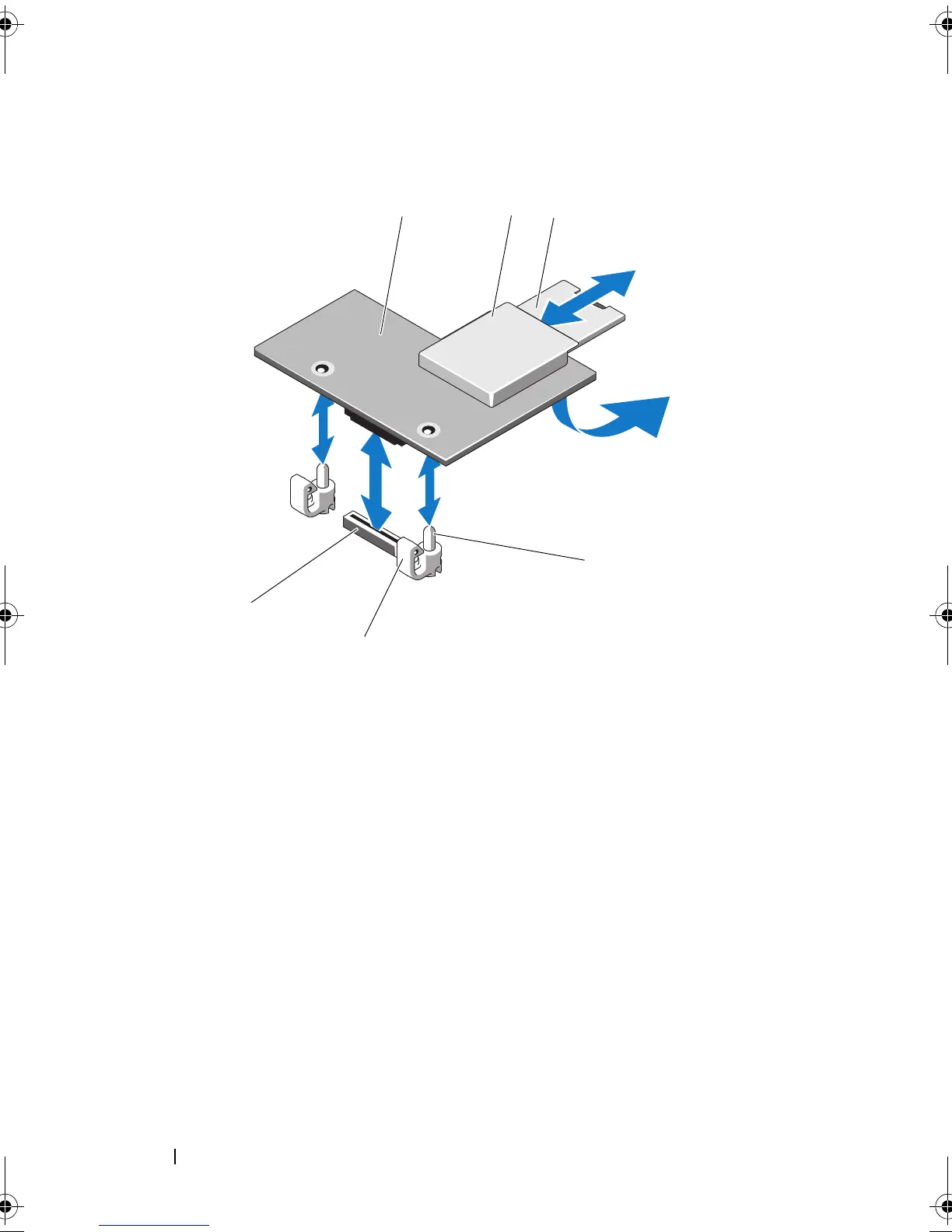
Figure 3-19. Installing or Removing an iDRAC6 Enterprise Card (Optional)
5
If applicable, connect the Ethernet cable from the iDRAC6 Enterprise
Card connector on the system back panel. See Figure 1-3.
6
Close the system. See "Closing the System" on page 85.
7
Reconnect the system to its electrical outlet and turn the system on,
including any attached peripherals.
8
Enter the iDRAC6 configuration utility and set up the Ethernet mode. See
"iDRAC6 Configuration Utility" on page 79.
1 iDRAC6 enterprise card 2 VFlash media slot
3 VFlash SD card 4 retention standoff posts (2)
5 retention standoff tabs (2) 6 iDRAC6 enterprise card connector
book.book Page 124 Thursday, February 18, 2010 2:06 PM












 To Next Page