Installing System Components 147
6
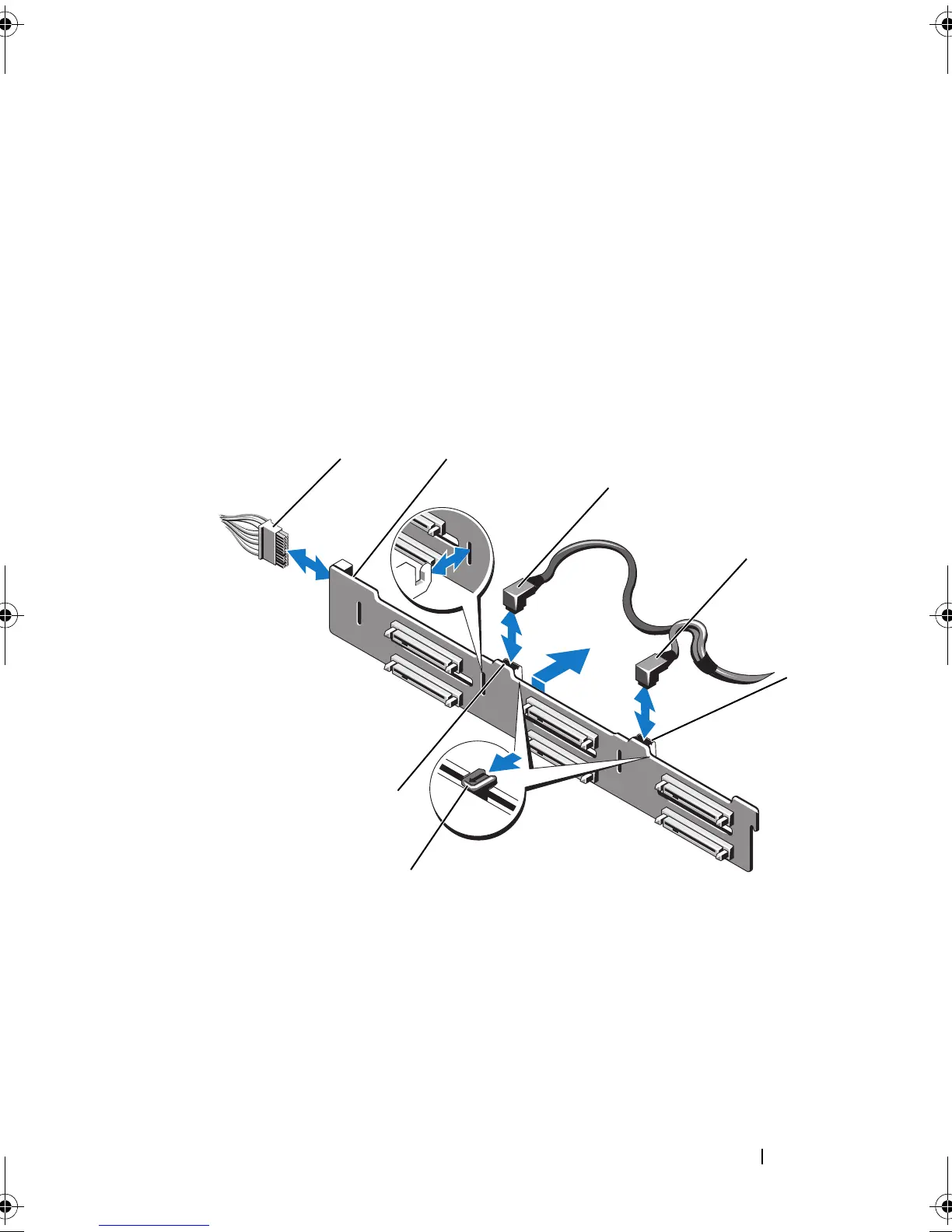
Disconnect the SAS data cable(s) and power cable from the backplane.
See Figure 3-28.
7
If required, disconnect the power/data cable from the optical drive. See
See "Removing an Optical Drive" on page 91.
8
Push the blue release tabs in the direction of the arrows marked on the
hard-drive housing and slide the backplane upwards.
9
Pull the backplane away from the system until the securing slots on the
backplane are free from the tabs on the front-chassis assembly.
Figure 3-28. Removing and Installing a SAS Backplane
1 power cable 2 SAS backplane
3 SAS A cable 4 SAS B cable
5 SAS B cable connector 6 release tabs (2)
7 SAS A cable connector
book.book Page 147 Thursday, February 18, 2010 2:06 PM












 To Next Page