Connecting your speaker
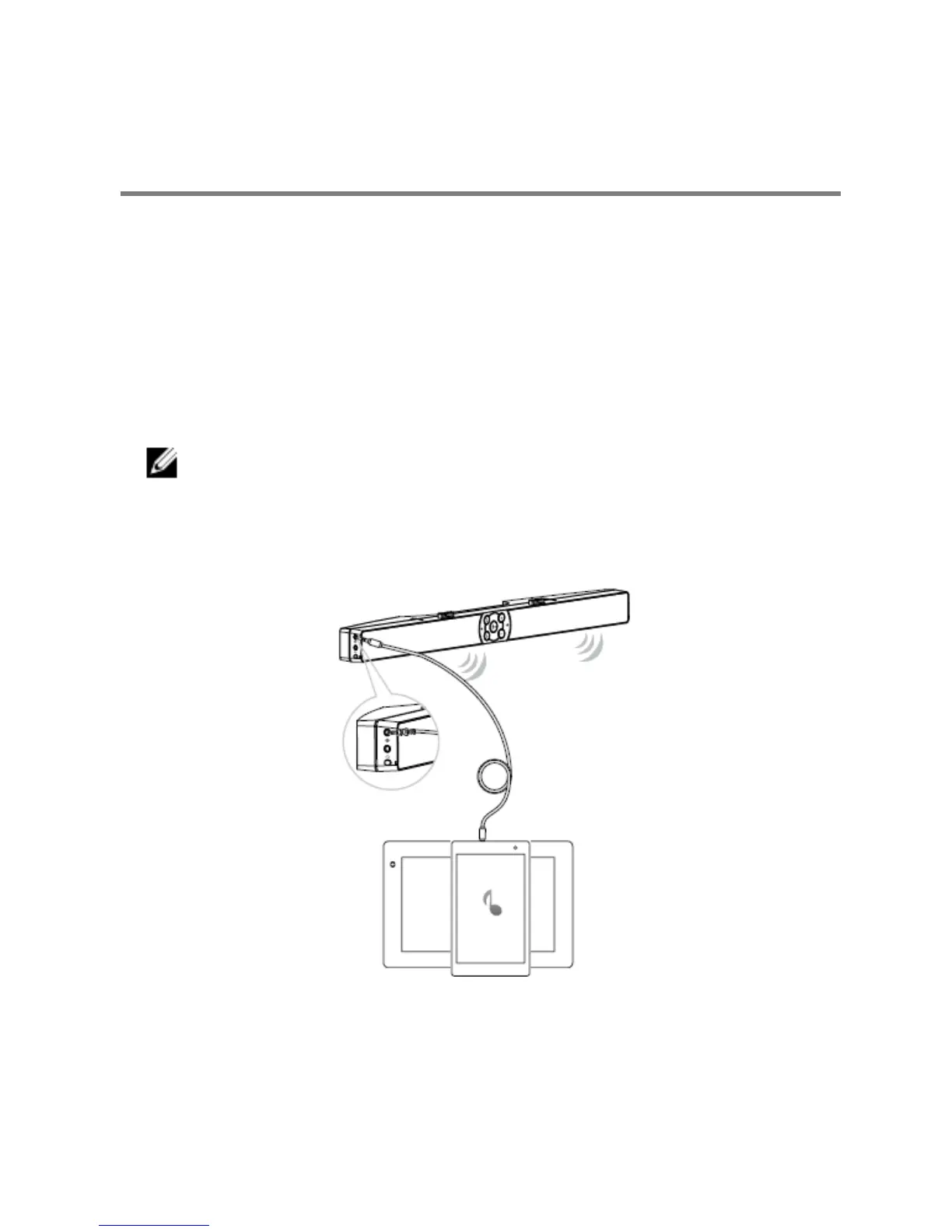
Use the audio in or aux-in jack to connect your audio device (tablet, smart phone)
to your Dell sound bar.
Audio-in port
You can play audio using the audio-in cable that came with your speaker.
1 Connect the audio-in cable to the aux-in port on the left sound bar.
2 Connect the other end of the audio-in cable to your audio device.
3 Play music and adjust the volume as desired.
NOTE:
When audio in is the default playback device, the light on the
microphone button turns solid red. The sound bar microphone cannot


 To Next Page