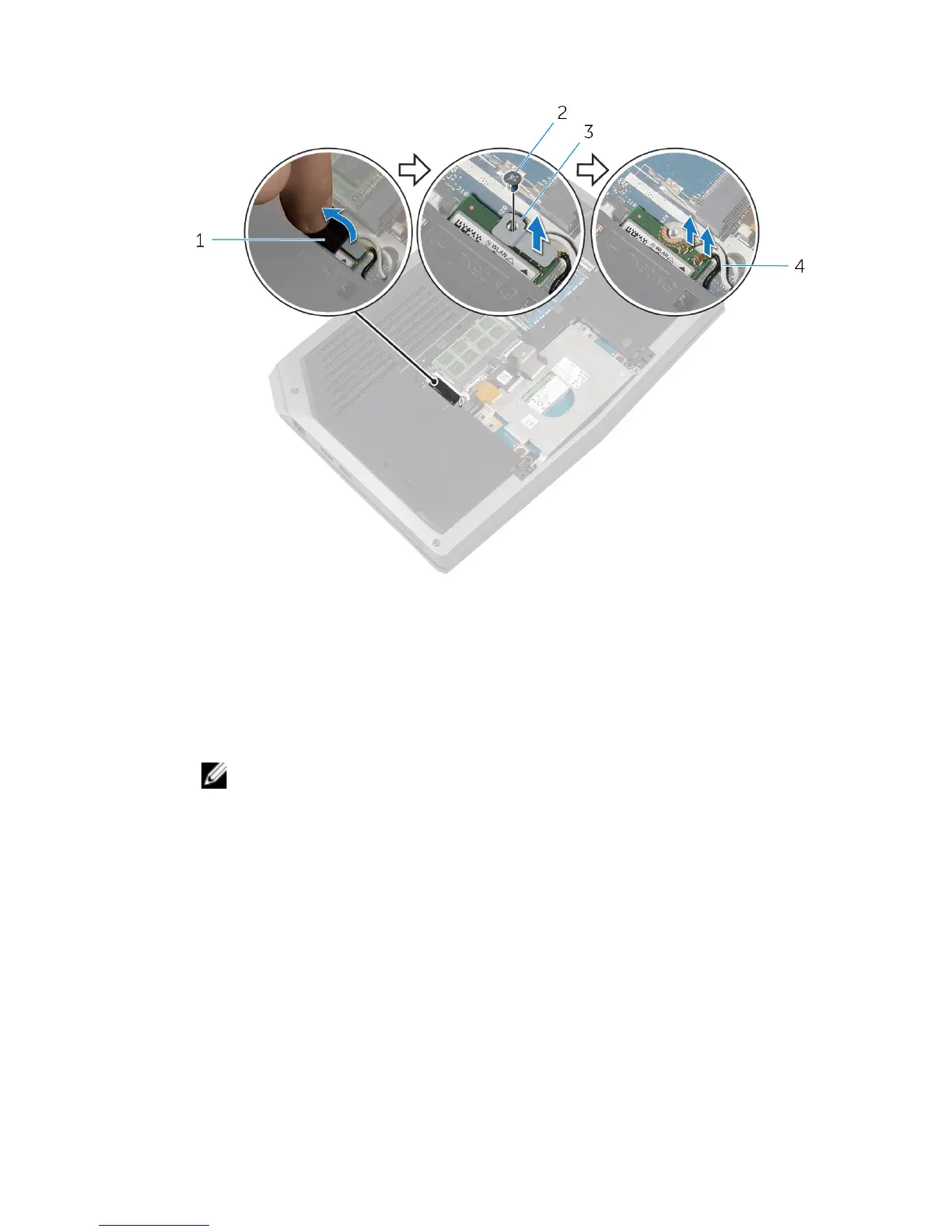
7 Disconnect the antenna cables from the wireless card.
1 adhesive tape 2 screw
3 wireless-card bracket 4 antenna cables
8 Turn the computer over and open the display.
9 Peel off the adhesive tapes that secure the antenna cables to the system
board.
NOTE: Make note of the cable routing before removing any cable from
its routing guide.
10 Remove the antenna cables from the routing guides on the display hinges.
11 Lift the connector latch and disconnect the display cable from the system
board.
12 Remove the display cable from the routing guides on the display hinges.
58












 To Next Page