Procedure
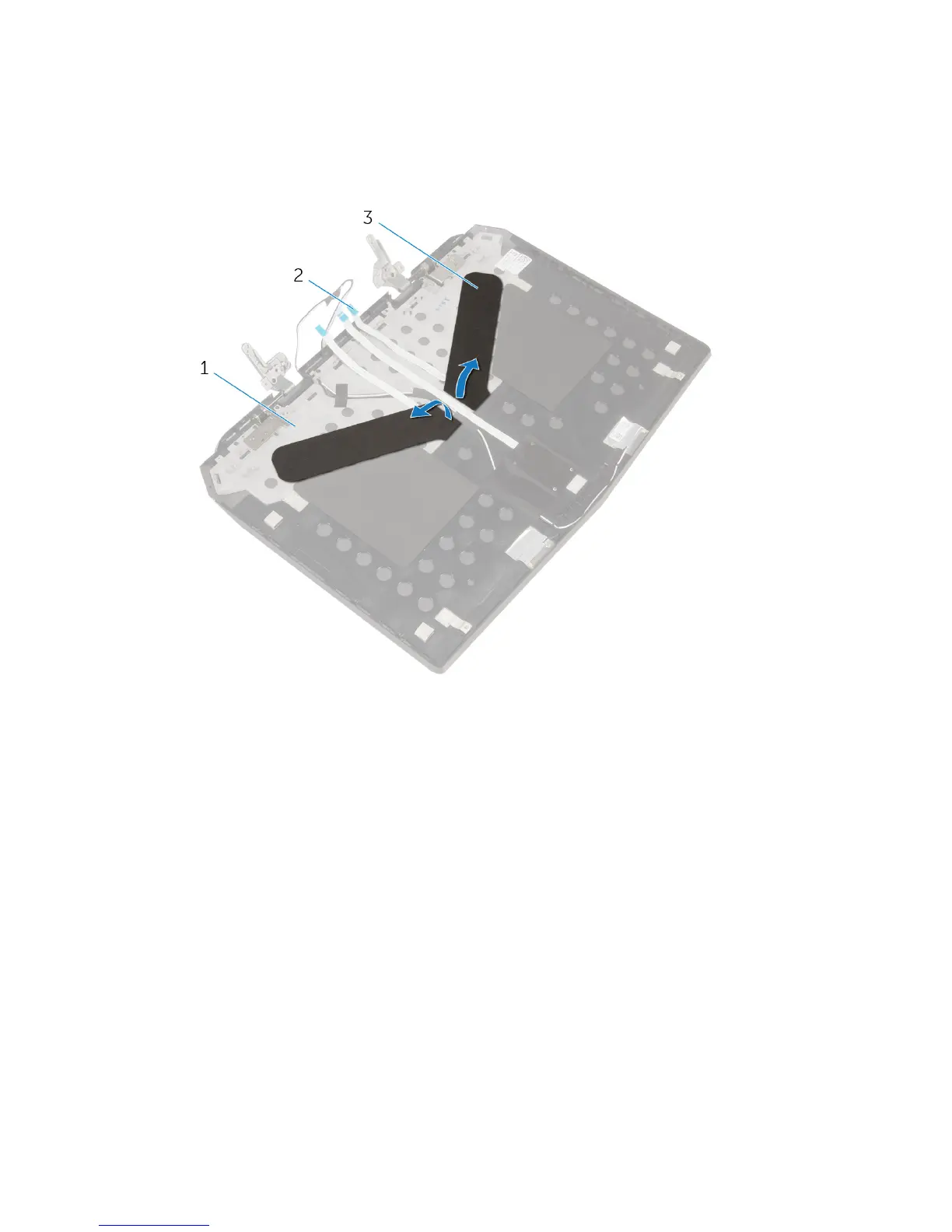
1 Peel off the tapes that secure the display-panel AlienFX LEDs to the display
back-cover.
1 display back-cover 2 display-panel AlienFX LED
cables (2)
3 tapes (2)
2 Note the routing of the display-panel AlienFX LED cables and peel off the
cables from the display back-cover.
3 Note the location of the display-panel AlienFX LEDs and peel off the LEDs
from the display back-cover.
108





 To Next Page