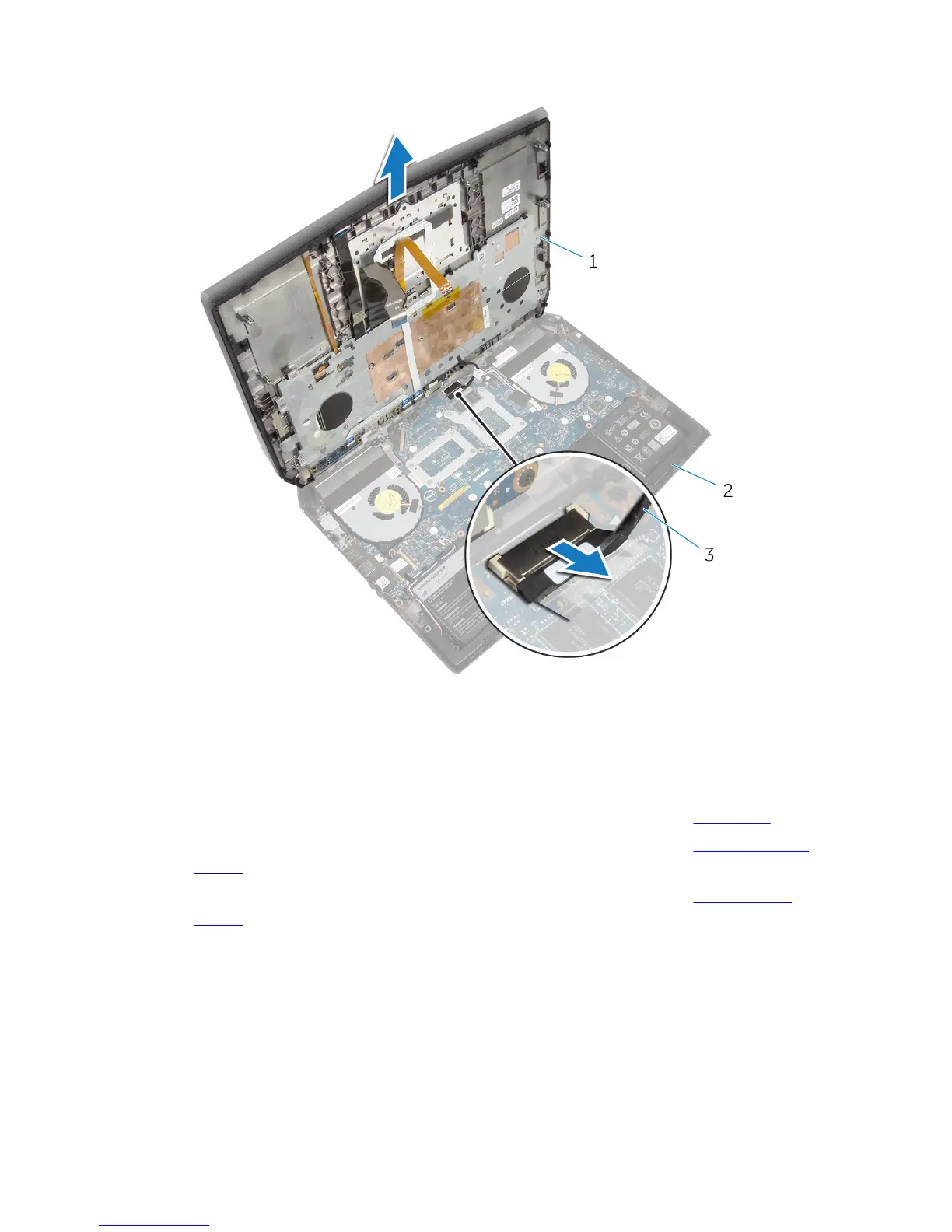
11 Lift the palm-rest assembly off the computer base.
1 palm-rest assembly 2 computer base
3 power-button board cable
12 Turn the palm-rest assembly over.
13 Follow the procedure from step 1 to step 6 in "Removing the keyboard”.
14 Follow the procedure from step 1 to step 4 in "Removing the power-button
board”.
15 Follow the procedure from step 1 to step 3 in "Removing the status-light
board”.
41











 To Next Page