Connect a PCI-Express card such as audio, network, or expansion card to enhance the capabilities of your computer.
3. PCI-Express X16
Connect a PCI-Express graphics card for optimal graphics performance.
4. PCI-Express X4 slot
Connect a PCI-Express card such as audio, network, or expansion card to enhance the capabilities of your computer.
5. Power-adapter port
Connect a power adapter to provide power to your computer.
6. Power-supply diagnostics light
Indicates the power-supply state.
7. Service Tag label
The Service Tag is a unique alphanumeric identifier that enables Dell service technicians to identify the hardware components in
your computer and access warranty information.
8. Padlock rings
Attach a standard padlock to prevent unauthorized access to the interior of your computer.
9. Side panel release latch
Pull the latch to quickly release the side panel from your computer.
10.Security-cable slot (wedge-shaped)
Connect a security cable to prevent unauthorized movement of your computer.
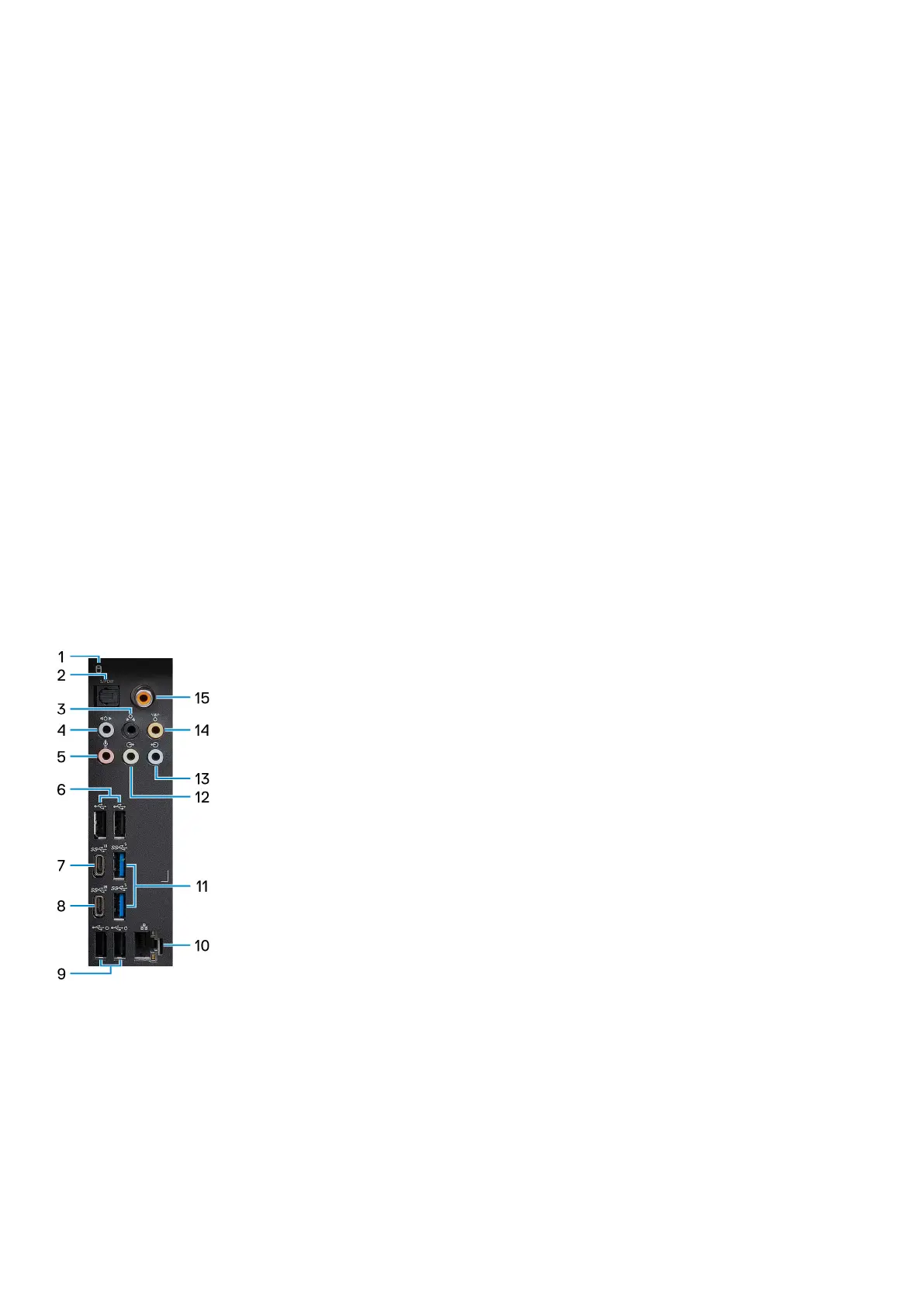
Back panel
1. Hard-drive activity light
The activity light turns on when the computer reads from or writes to the hard drive.
2. Optical S/PDIF port
Connect an amplifier, speakers, or a TV for digital audio output through an optical cable.
3. Rear L/R surround port
Connect audio-output devices such as speakers and amplifiers. In a 5.1 or 7.1 speaker channel setup, connect the rear-left and
rear-right speakers.
4. Side L/R surround port
10











 To Next Page