
 Need help?
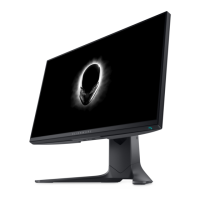
Do you have a question about the Dell AW2521HF and is the answer not in the manual?
Safety guidelines for personal safety and equipment protection from potential damage.
Guidelines for connecting equipment to a power source and using AC adapters safely.
Step-by-step instructions for safely taking apart the monitor, starting with stand removal.
Step-by-step instructions for reassembling the monitor after disassembly.
Instructions on how to perform a monitor self-test to diagnose issues.
Guide to using the monitor's integrated diagnostic tool to identify screen abnormalities.
 General
| Screen Size | 24.5 inches |
|---|---|
| Resolution | 1920 x 1080 (Full HD) |
| Refresh Rate | 240 Hz |
| Response Time | 1 ms (Gray to Gray) |
| Panel Type | IPS |
| Brightness | 400 cd/m² |
| Contrast Ratio | 1000:1 |
| Aspect Ratio | 16:9 |
| AMD FreeSync | Yes |
| Color Gamut | 99% sRGB |
| VESA Mount | 100 x 100 mm |
| Connectivity | HDMI, DisplayPort, USB |
| Viewing Angle | 178° |











 To Next Page
